Task #388
openSphinx documentation setup
Description
To set up Sphinx documentation
Sphinx documentation learning resources:
https://sphinx-rtd-theme.readthedocs.io/en/stable/configuring.html
Files
| folders.png (92.5 KB) folders.png | |||
| sphinx.png (138 KB) sphinx.png | |||
| ent_commands.png (171 KB) ent_commands.png | |||
| install_sphinx.png (170 KB) install_sphinx.png | |||
| run_sphinx.png (47.6 KB) run_sphinx.png | |||
| pip_install.png (146 KB) pip_install.png | |||
| install_venv.png (180 KB) install_venv.png | |||
| sphinx_theme.png (179 KB) sphinx_theme.png | |||
| build_sphinx.png (138 KB) build_sphinx.png | |||
| browser_view.png (89.4 KB) browser_view.png | |||
| document.png (85.3 KB) document.png |
Updated by Devaraj Anandhan 4 months ago · Edited
- File folders.png folders.png added
- File sphinx.png sphinx.png added
- File ent_commands.png ent_commands.png added
- File install_sphinx.png install_sphinx.png added
- File run_sphinx.png run_sphinx.png added
- File pip_install.png pip_install.png added
- File install_venv.png install_venv.png added
- File sphinx_theme.png sphinx_theme.png added
- File build_sphinx.png build_sphinx.png added
- File browser_view.png browser_view.png added
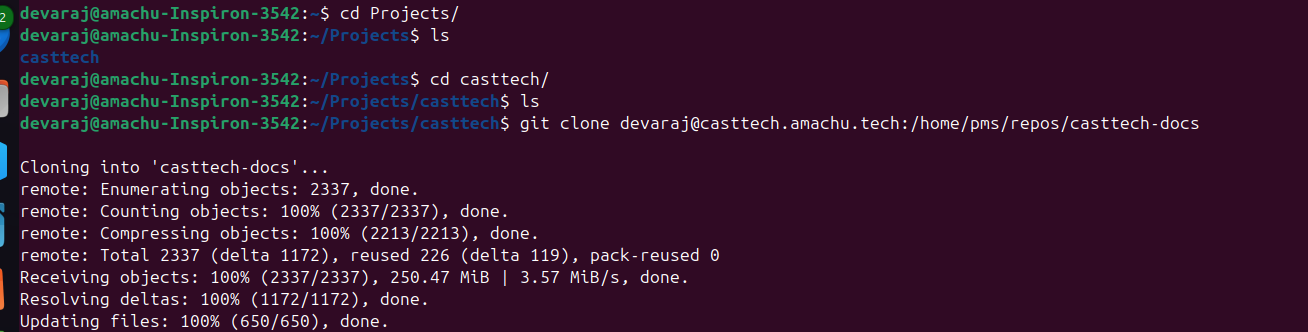
Casttech Sphinx documentation setup:
step 1 : Folder setup:-
- create Projects folder
- create Casttech folder
- open terminal
- Change directory to Projects and again change directory to casttech folder
- Clone --> git clone devaraj@casttech.amachu.tech:/home/pms/repos/casttech-docs
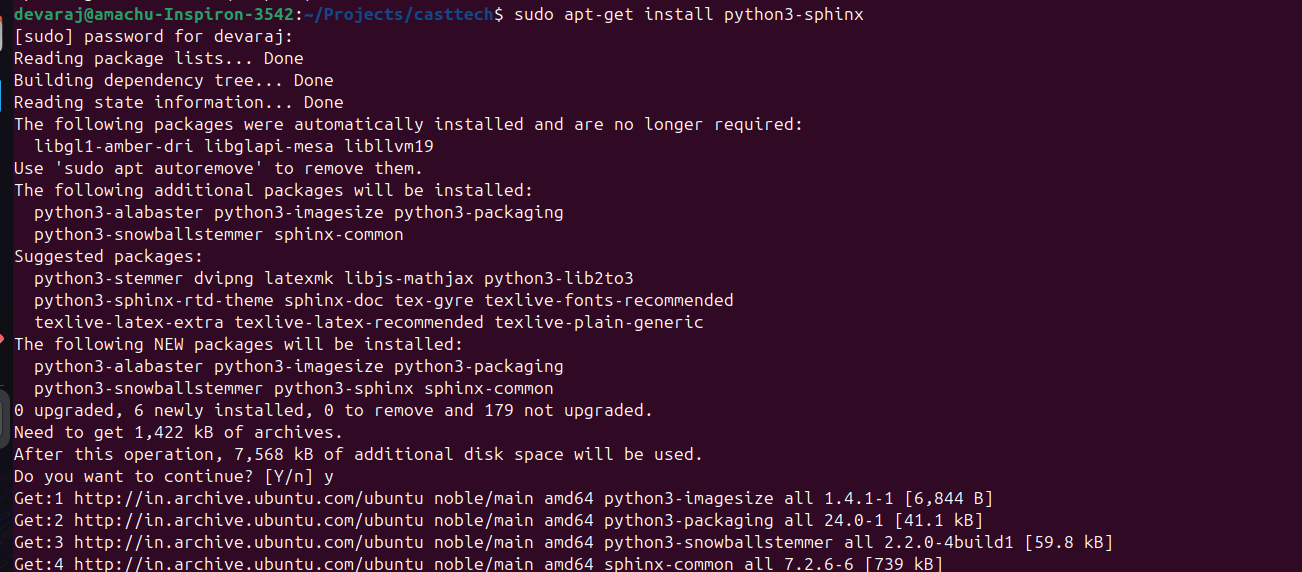
step 2 : install python 3 --> sudo apt-get install python3-sphinx
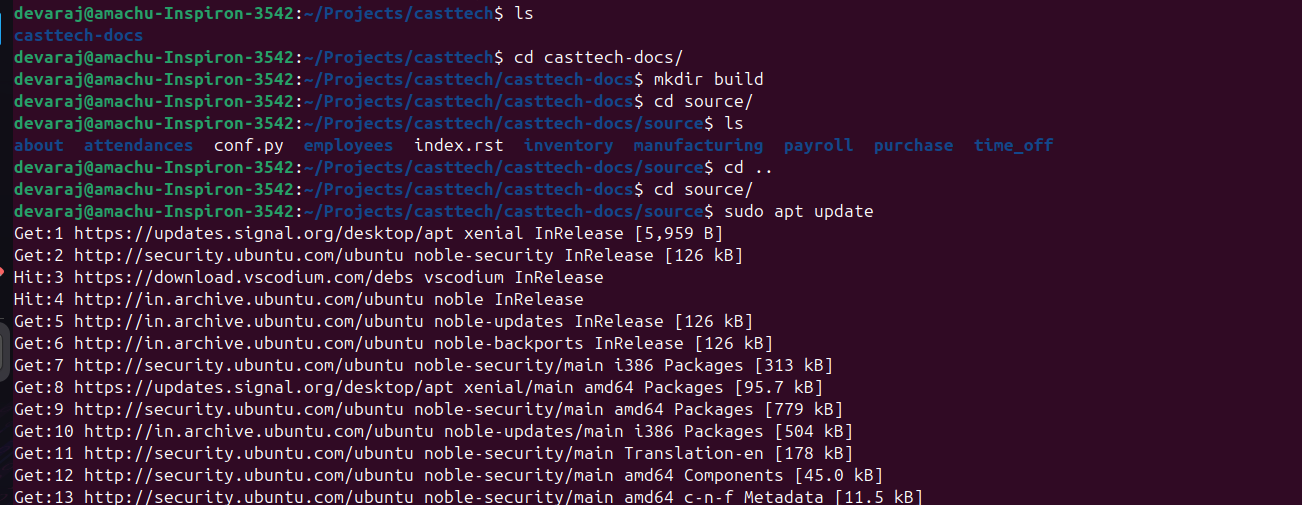
step 3 : Enter the following commands:-
- Enter list command --> ls
- Change directory to --> casttech-docs
- Create a build directory using --> ** mkdir build**
- Change directory to --> source
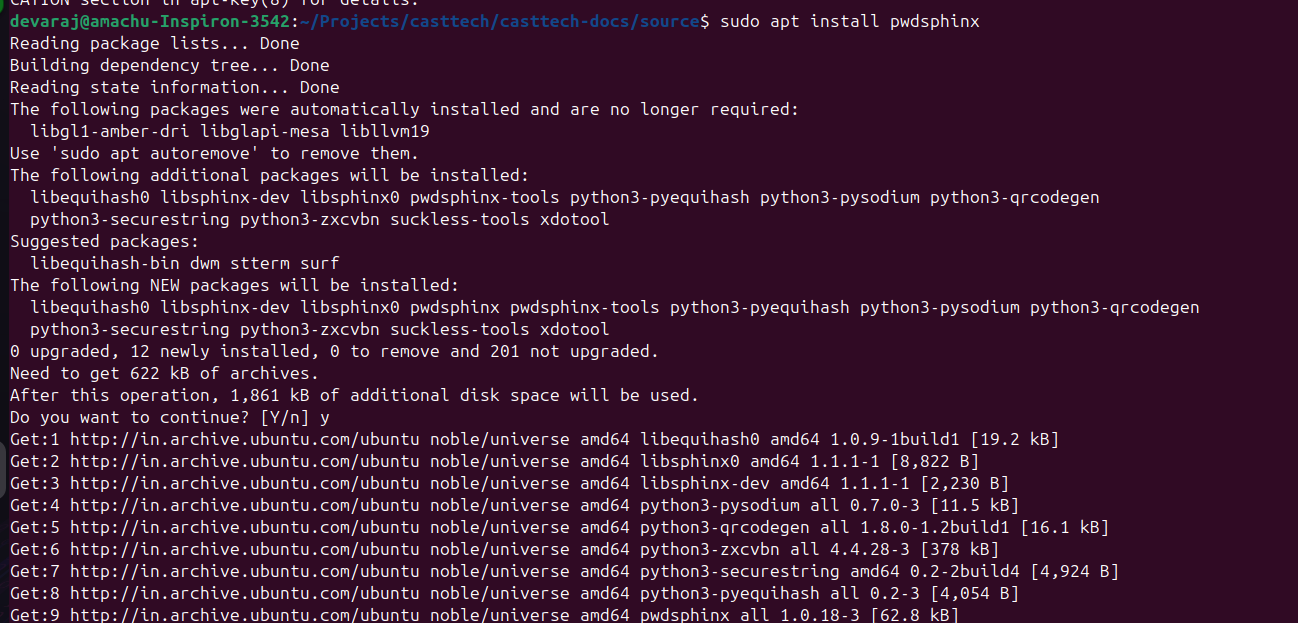
step 4 : Install pwd sphinx Using this command --> sudo apt install pwdsphinx
step 5 : Run sphnix for confirmation of installation

step 6 : Install python-pip3 Using this command --> sudo apt install python3-pip
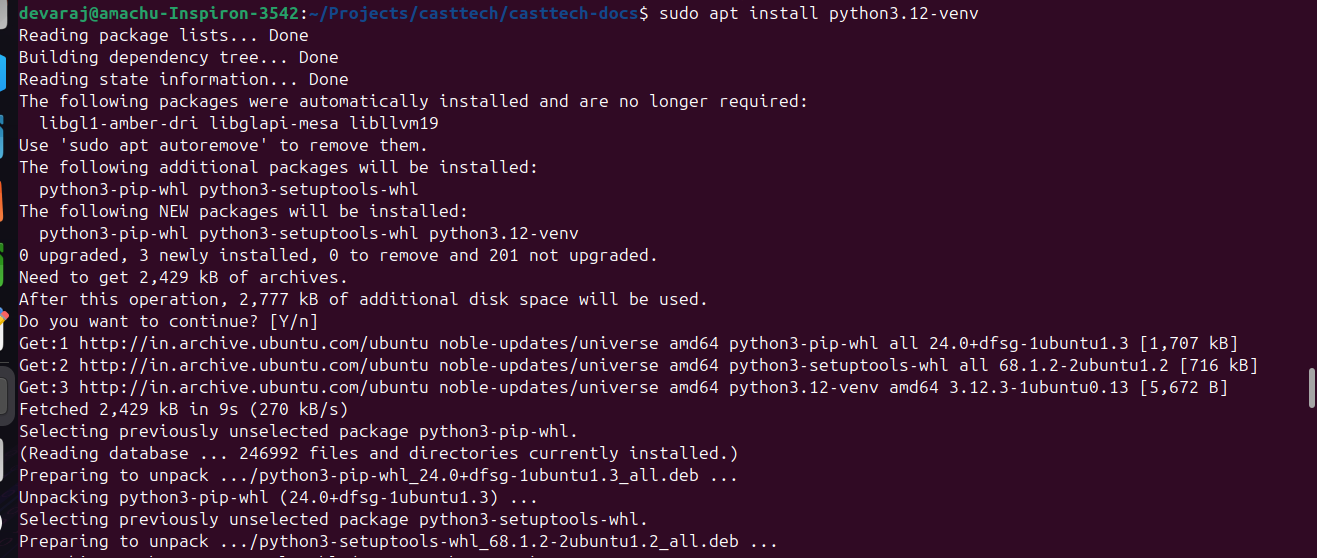
step 7 :
- Install and activate vitual machine
- Run pip install sphinxcontrib-video
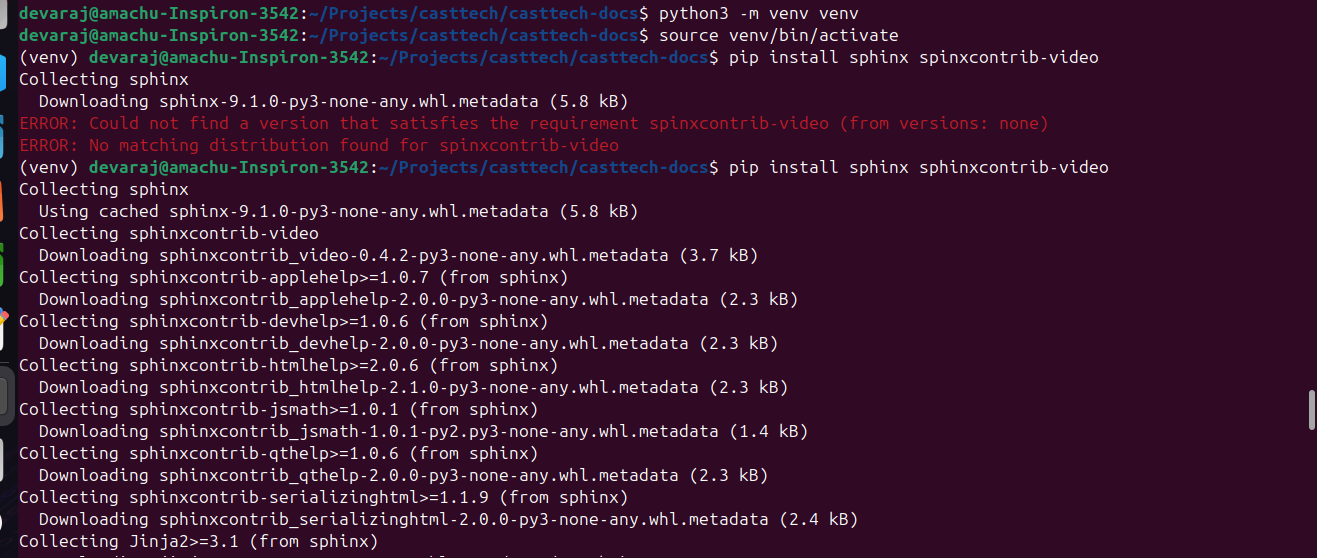
step 8 : Install the sphinx theme using this command --> pip install sphinx-rtd-theme
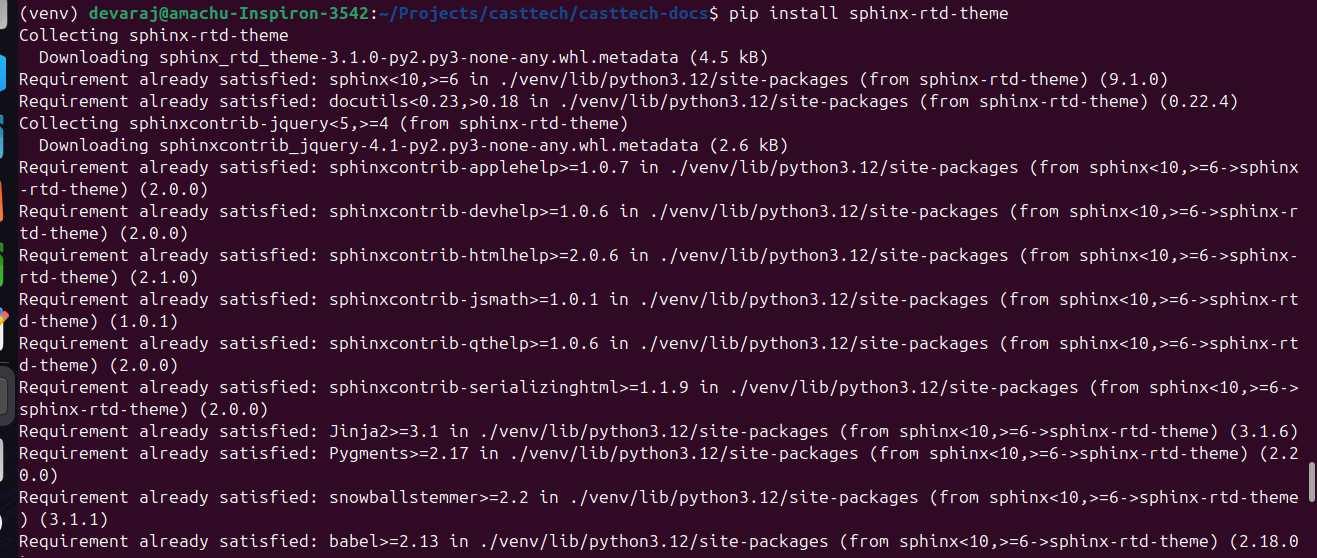
step 9 : Build a sphinx and source using this command --> sphinx-build -M html source build
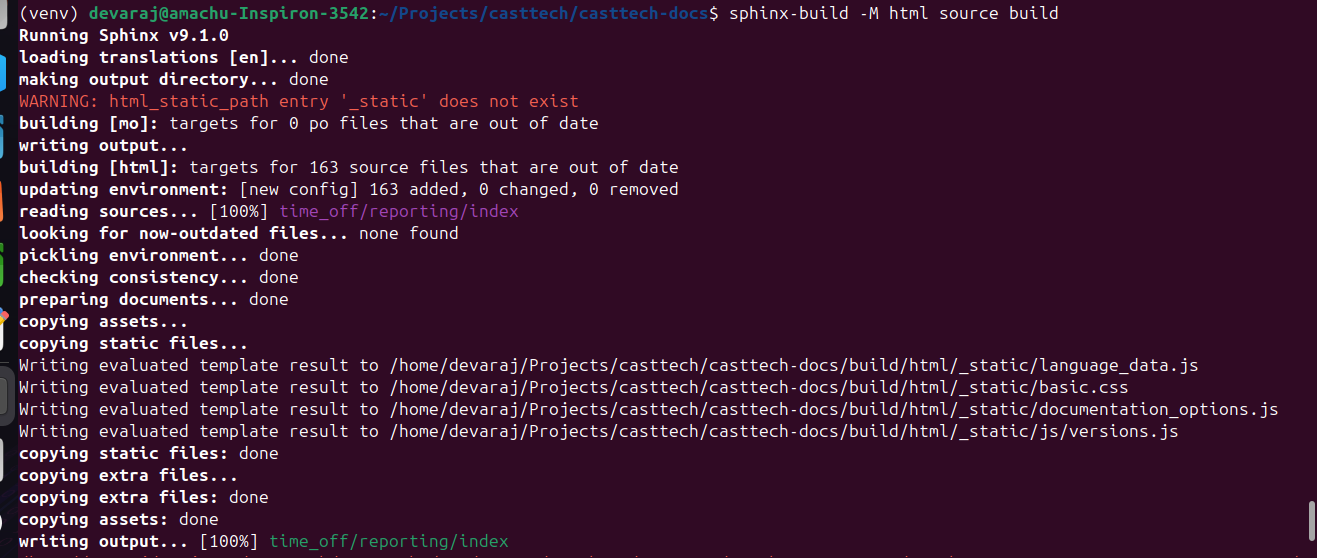
step 10 : Enter the following commands for finish the sphinx setup :-
- Change directory to build --> cd build
- list --> ls
- change directory to html --> cd html
- list --> ls
1.To view the document in browser using this command --> google-chrome index.html
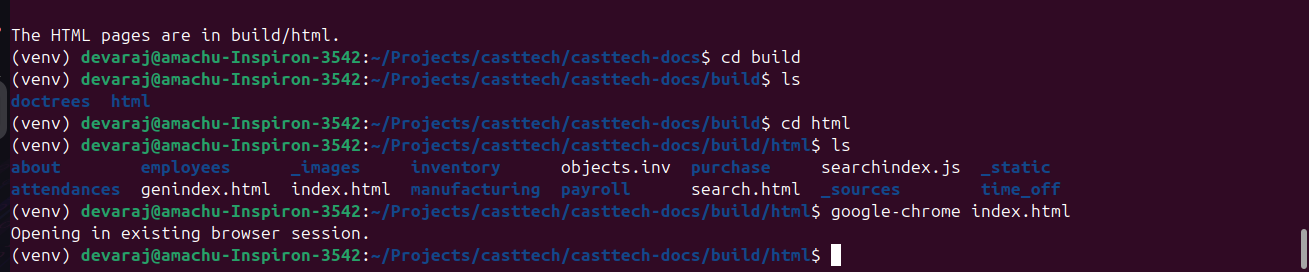
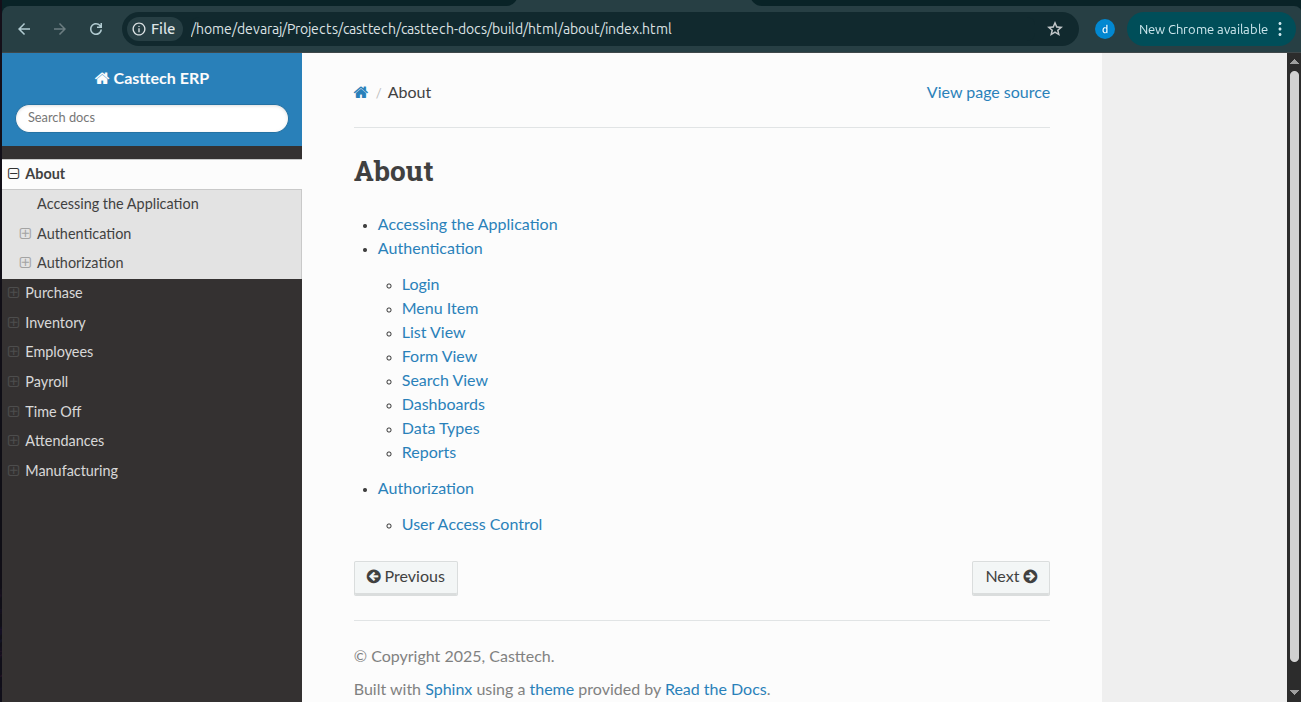
Finally complete the sphinx documentation visible in the google chrome with your local path and book mark it.
Updated by Devaraj Anandhan 4 months ago
- Status changed from In Progress to Resolved
- Estimated time set to 1:00 h