Actions
Task #306
openSphinx documentation setup
Start date:
03/14/2026
Due date:
% Done:
0%
Estimated time:
Description
Sphinx documentation setup and learning.
Files
Actions
#1
Updated by Monish Munusamy 7 months ago
- File git_clone.png git_clone.png added
- File python3-sphinx.png python3-sphinx.png added
- File pip_install_sphinxcontrib-video.png pip_install_sphinxcontrib-video.png added
- File pip_install_sphinxcontrib-video_--break-system-package.png pip_install_sphinxcontrib-video_--break-system-package.png added
- File sudo_apt_install_pwdsphinx.png sudo_apt_install_pwdsphinx.png added
- File check.png check.png added
- File sphinx.png sphinx.png added
- File sphinx-build_-M_html_source_build.png sphinx-build_-M_html_source_build.png added
- File google-chrome_index.html.png google-chrome_index.html.png added
- File prashanti_erp_documentation.png prashanti_erp_documentation.png added
- Status changed from New to In Progress
Sphinx documentation setup
Step-1: Create folders and open that using:
-
Making directory by
mkdir Projects/Prashanti/prashanti_docs/ -
Changing directory by
cd Projects/Prashanti/prashanti_docs/
Step-2: Updating and Installing required packages:
-
Updating the package list from repositories by
sudo apt update -
Installing Sphinx documentation generator for Python by
sudo apt-get install python3-sphinx

-
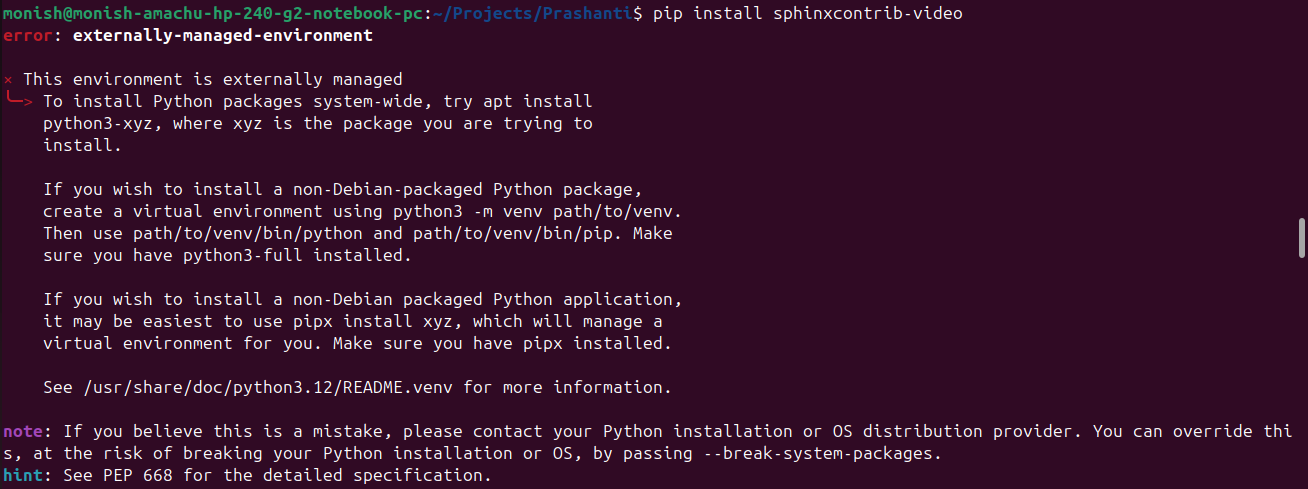
Install the Sphinx extension for embedding videos in documentation by
pip install sphinxcontrib-video
-
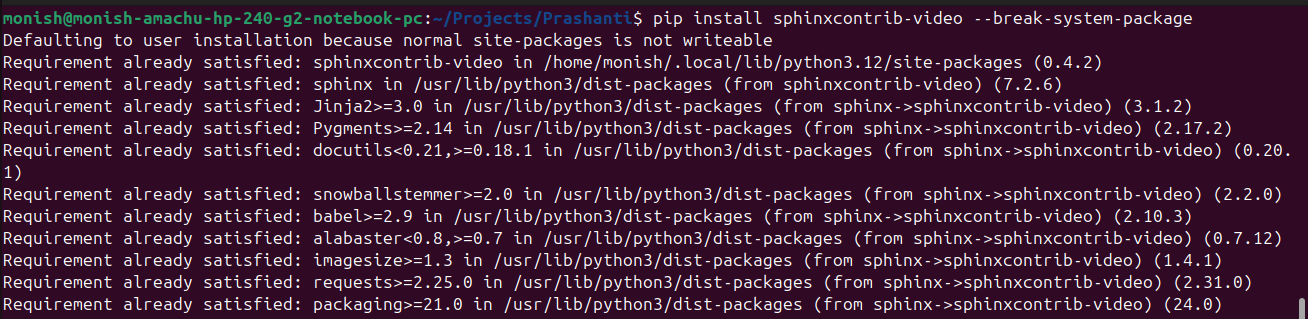
Install sphinxcontrib-video, allowing it to override system package protections (forces installation even if it might conflict with system-managed packages):
pip install sphinxcontrib-video --break-system-package
-
Install the Read the Docs theme for Sphinx using Python 3, forcing installation even if it might conflict with system-managed packages:
pip3 install sphinx-rtd-theme --break-system-packages -
Installing pip, the Python package installer by
sudo apt-get install pip -
Installing Git, the version control system by
sudo apt install git -
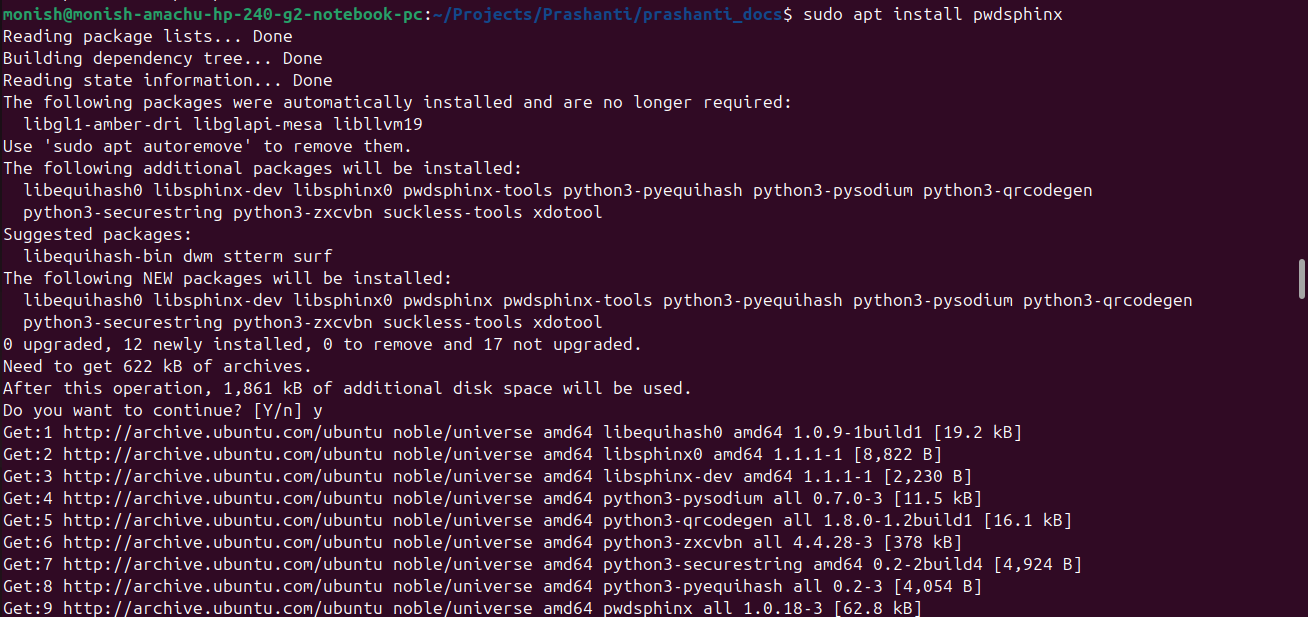
Installs the package pwdsphinx from the system repositories:
sudo apt install pwdsphinx
Step-3: To copy the repository from the remote server to the local machine.
-
Cloning the repository
git clone monish@prashantipms.amachu.tech:/home/prashantipms/repos/prashanti_docs

Step-4: Ensuring build folder is available or not by
-
list, making folder, opening source folder, list, back to current folder.
ls
mkdir build
cd source/
ls
cd ..

Step-5: To create HTML, PDF, or other formats from reStructuredText(.rst) files.
-
A Python documentation generator:
sphinx

-
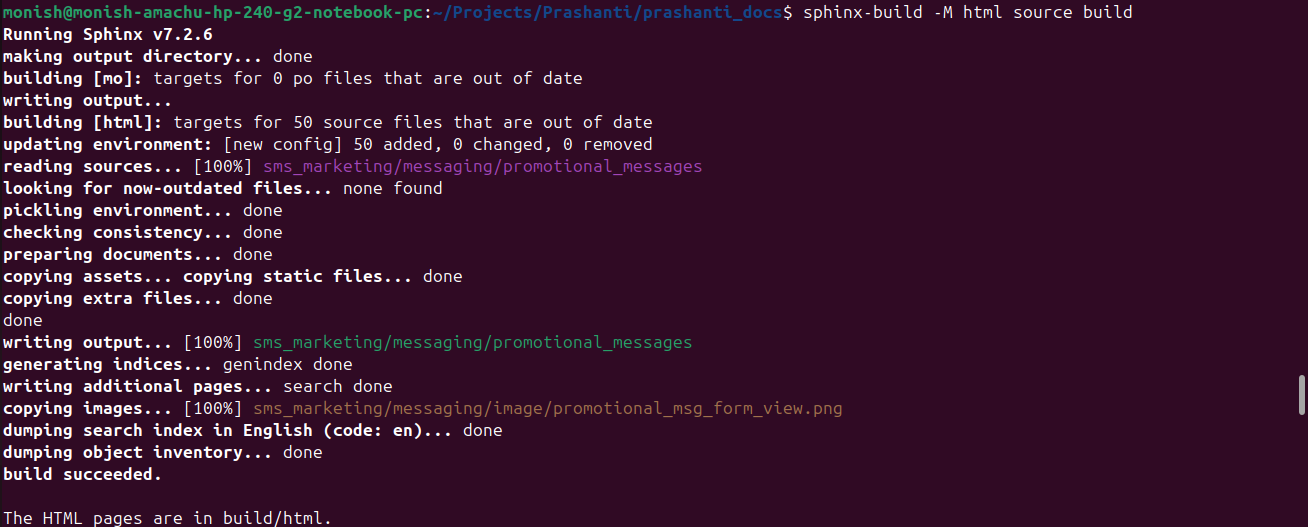
Builds the HTML version of the documentation from the source directory into the build directory:
sphinx-build -M html source build
-
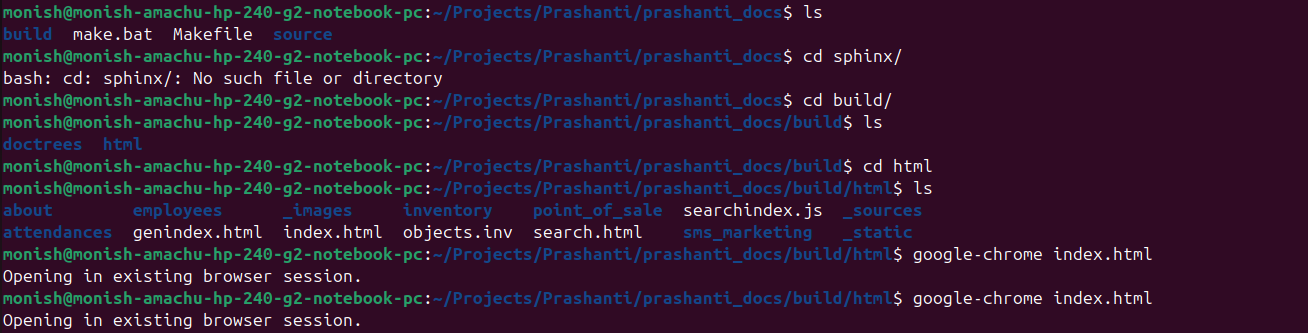
open build folder, list, again go to html folder, Opens the file index.html in Google Chrome.
cd build/
ls
cd html
google-chrome index.html
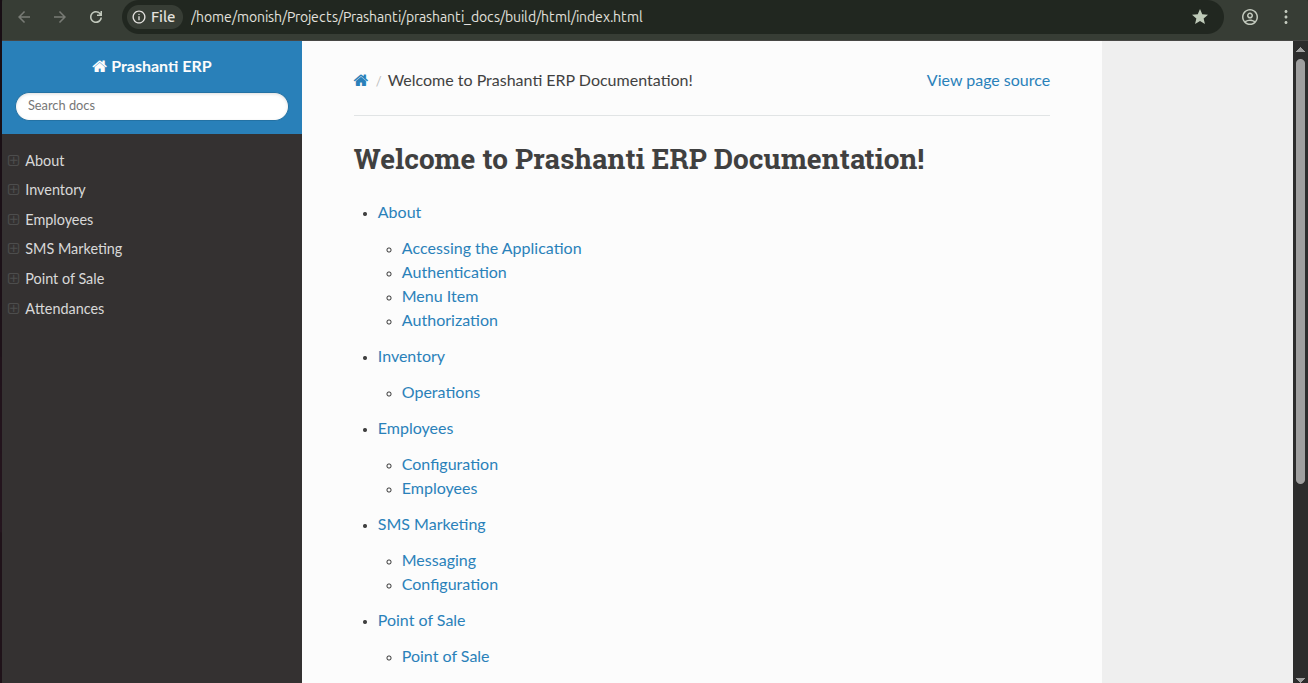
- Prashanti ERP Documentation:
Updated by Monish Munusamy 7 months ago
- Status changed from In Progress to Resolved
Updated by Amul Munusamy 7 months ago
- Subject changed from Sphinx documentation setup and learning to Sphinx documentation setup
Actions