Actions
Task #366
openHot Keys for Starting & Stopping OBS recordings
Description
Learn how to set up hot keys for Starting and Stopping recordings with OBS. They have to be used to start and stop recordings.
Ref: #300
Files
| open_obs.png (72.9 KB) open_obs.png | |||
| hotkeys.png (88.6 KB) hotkeys.png | |||
| edit_hotkeys.png (118 KB) edit_hotkeys.png | |||
| working_hotkeys.png (87.8 KB) working_hotkeys.png |
Actions
#2
Updated by Devaraj Anandhan 5 months ago
- File open_obs.png open_obs.png added
- File hotkeys.png hotkeys.png added
- File edit_hotkeys.png edit_hotkeys.png added
- File working_hotkeys.png working_hotkeys.png added
- Status changed from In Progress to Resolved
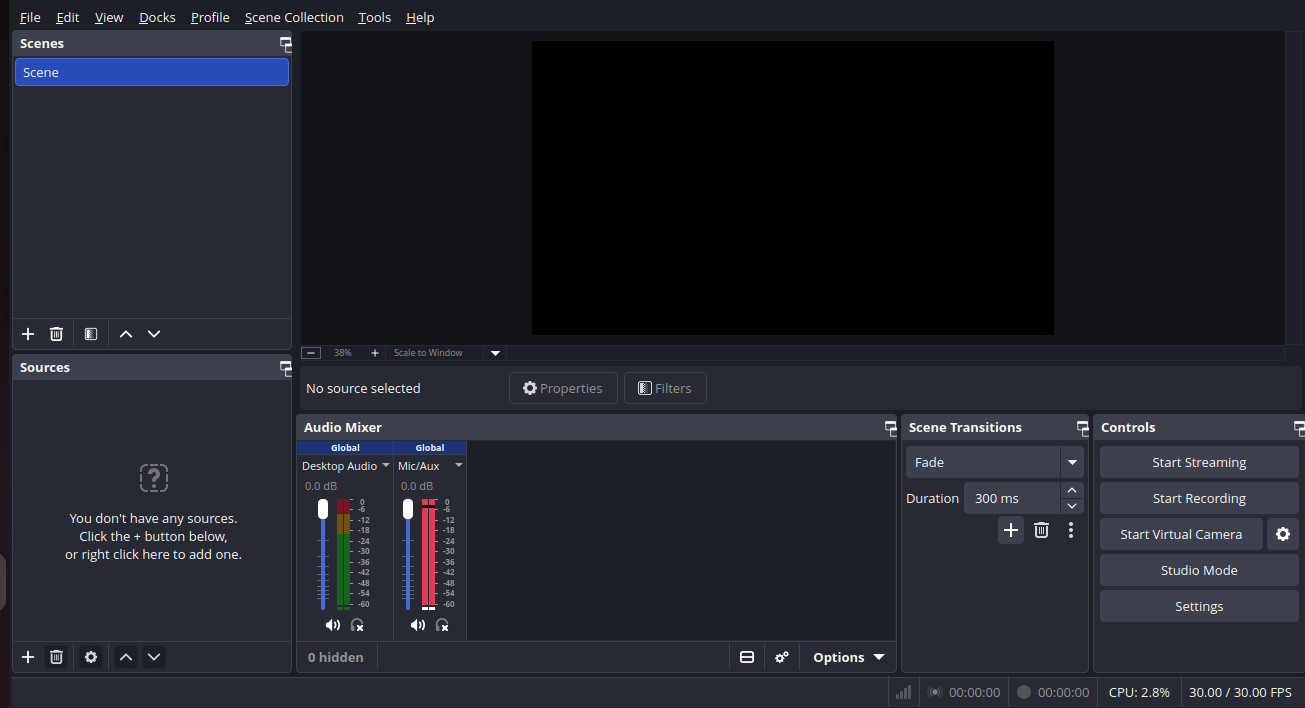
step 1 :open OBS application
open the OBS application to access the hot keys
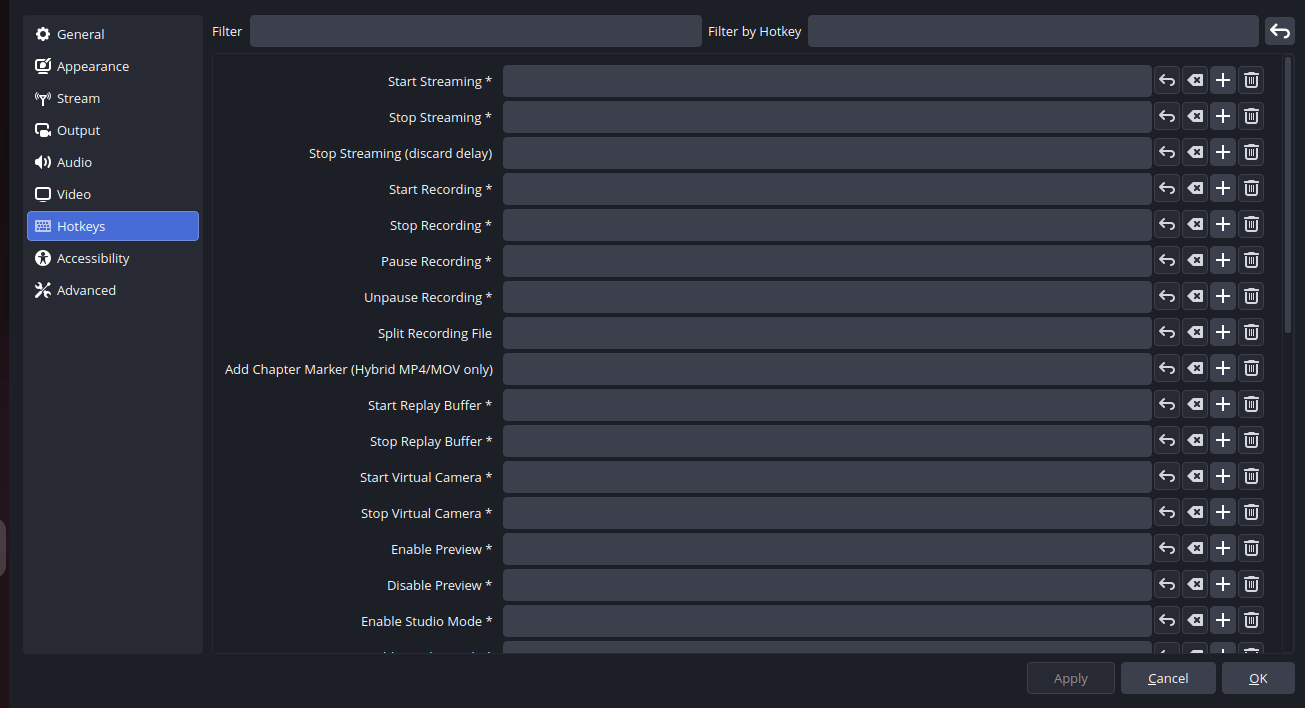
step 2 :open settings
open settings and then click hotkeys option
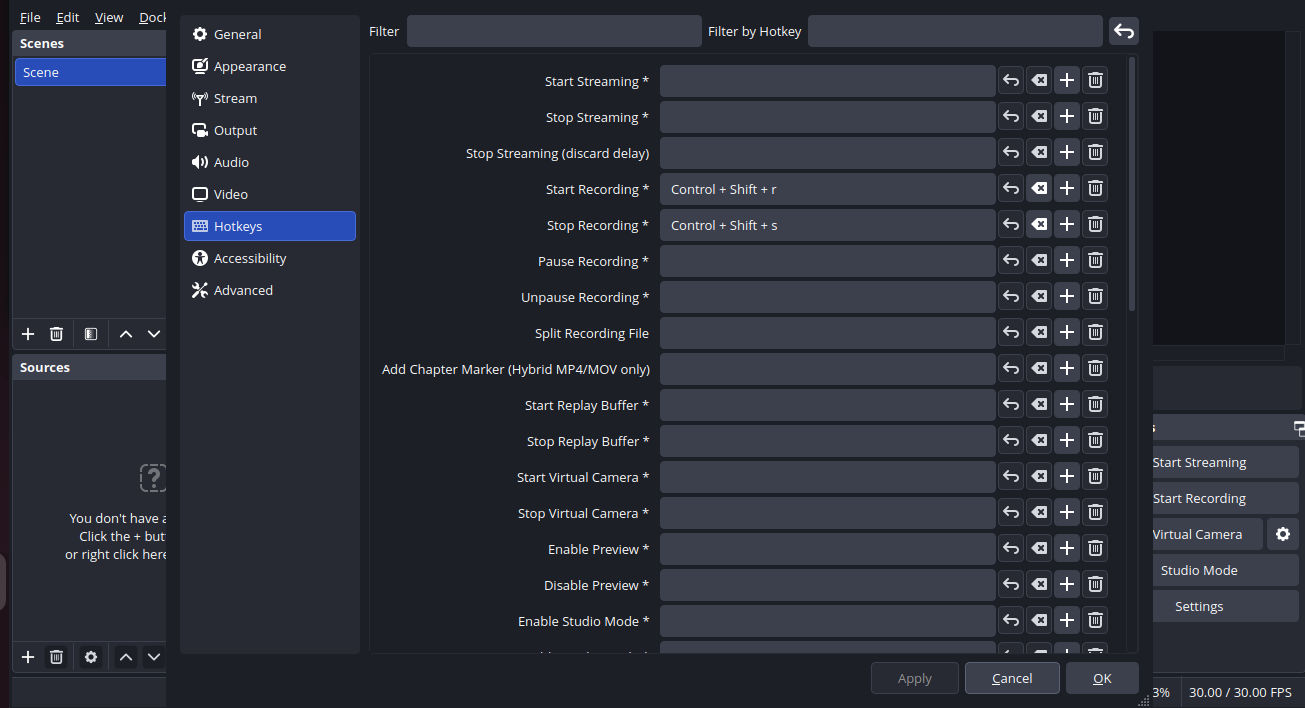
step 3 :customization
user can customize the own hotkeys and then click apply
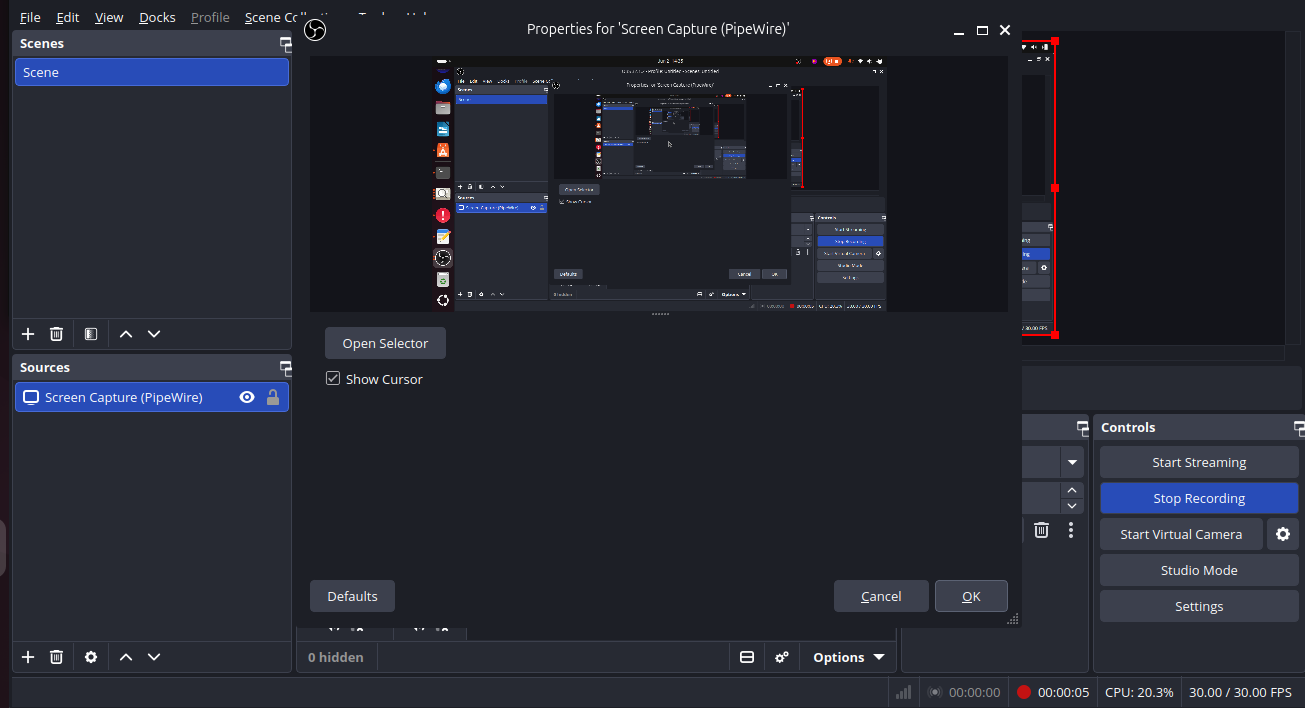
step 3 :check
after customize your hotkeys to check whether it is working or not
Actions