Actions
Task #300
openHot Keys for Starting & Stopping recordings
Start date:
03/10/2026
Due date:
% Done:
0%
Estimated time:
Description
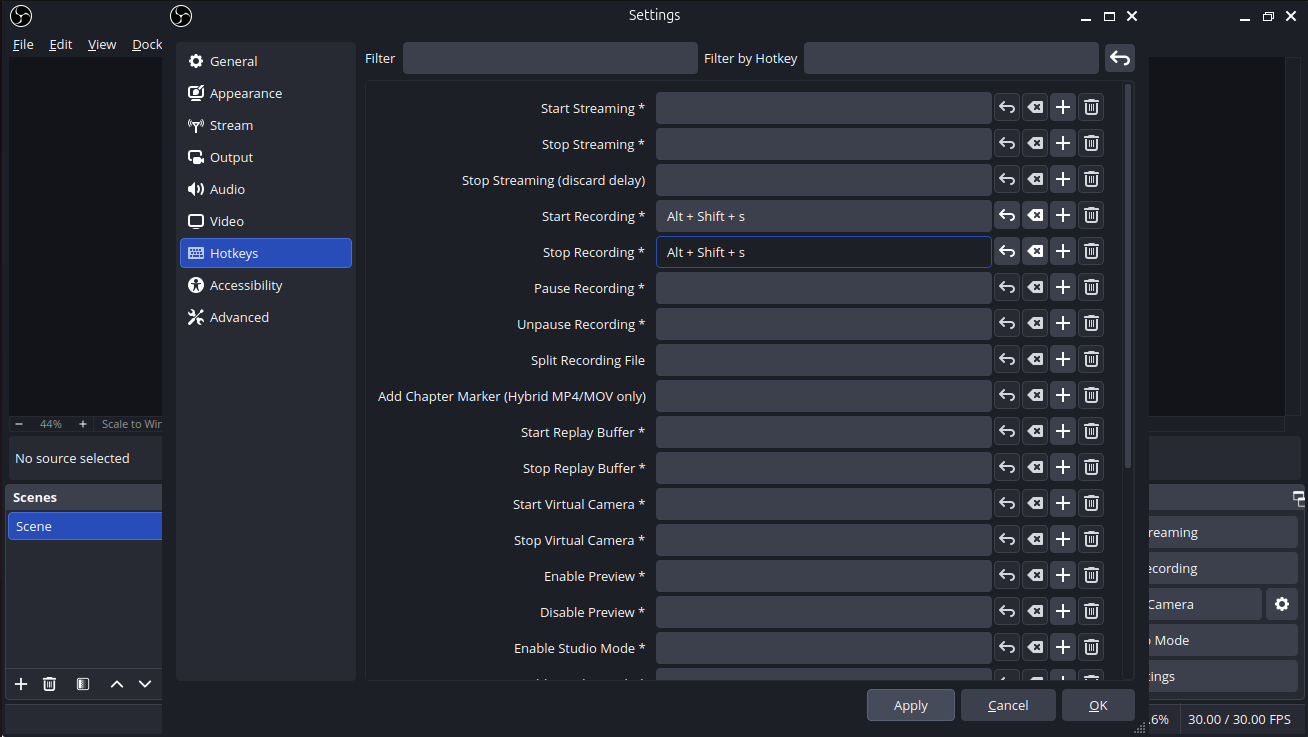
Learn how to set up hot keys for Starting and Stopping recordings with OBS. They have to be used to start and stop recordings.
Files
Actions
#2
Updated by Monish Munusamy 7 months ago
- File obs.png obs.png added
- File hot_key.png hot_key.png added
Hot Keys for Starting & Stopping recordings
-
Step-1: Open OBS Studio then go to Settings by
File --> Settings
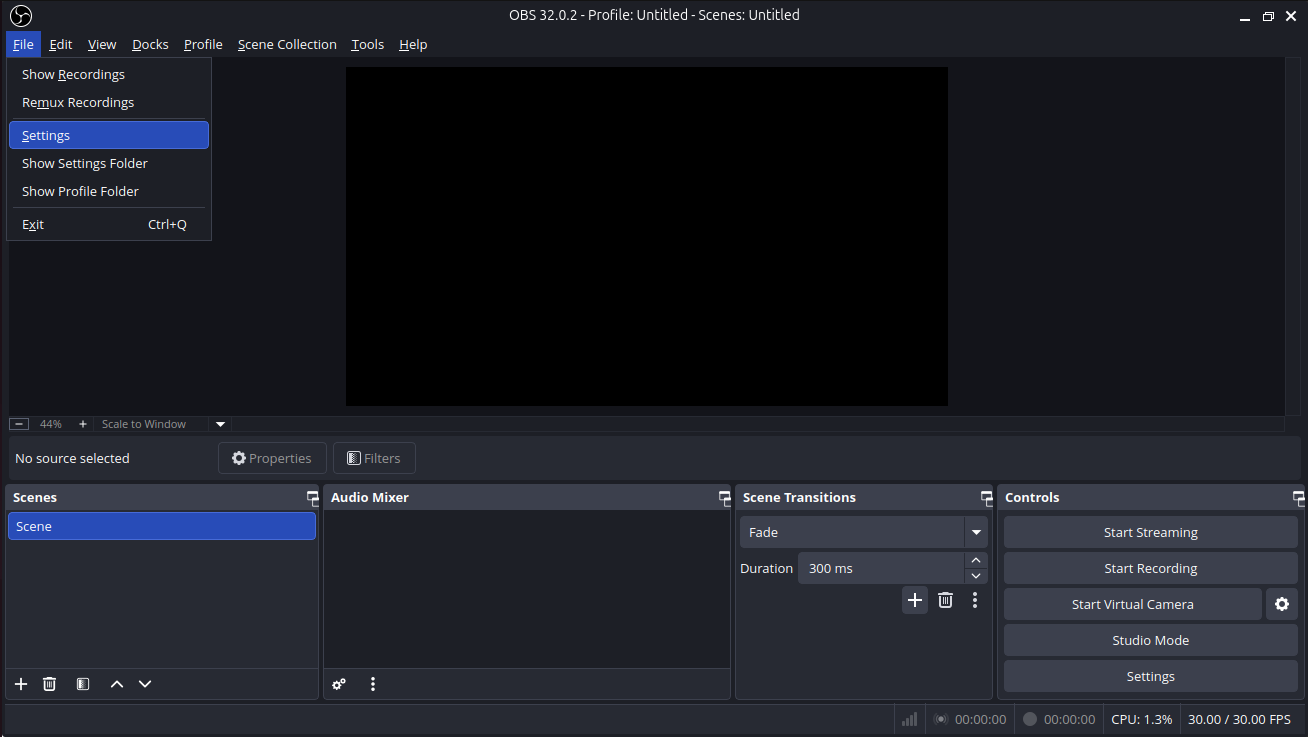
- Step-2: Click Hotkeys and setting the key for Start & Stop the Recordings.
Updated by Monish Munusamy 7 months ago
- Status changed from In Progress to Resolved
Actions