Actions
Task #362
openSetup and Configure Signal App
Description
To set up Signal for internal communication and sync between your mobile device and Ubuntu laptop, first install the Signal app on your mobile and then on your laptop.
Install on mobile : https://signal.org/install
Follow the instruction to install on laptop : https://signal.org/download/linux/
Ref: #296
Files
| signal_app.png (192 KB) signal_app.png | |||
| instruction.png (112 KB) instruction.png | |||
| terminal.png (48.9 KB) terminal.png | |||
| signal.png (188 KB) signal.png |
Actions
#3
Updated by Devaraj Anandhan 5 months ago
- File signal_app.png signal_app.png added
- File instruction.png instruction.png added
- File terminal.png terminal.png added
- File signal.png signal.png added
- Status changed from In Progress to Resolved
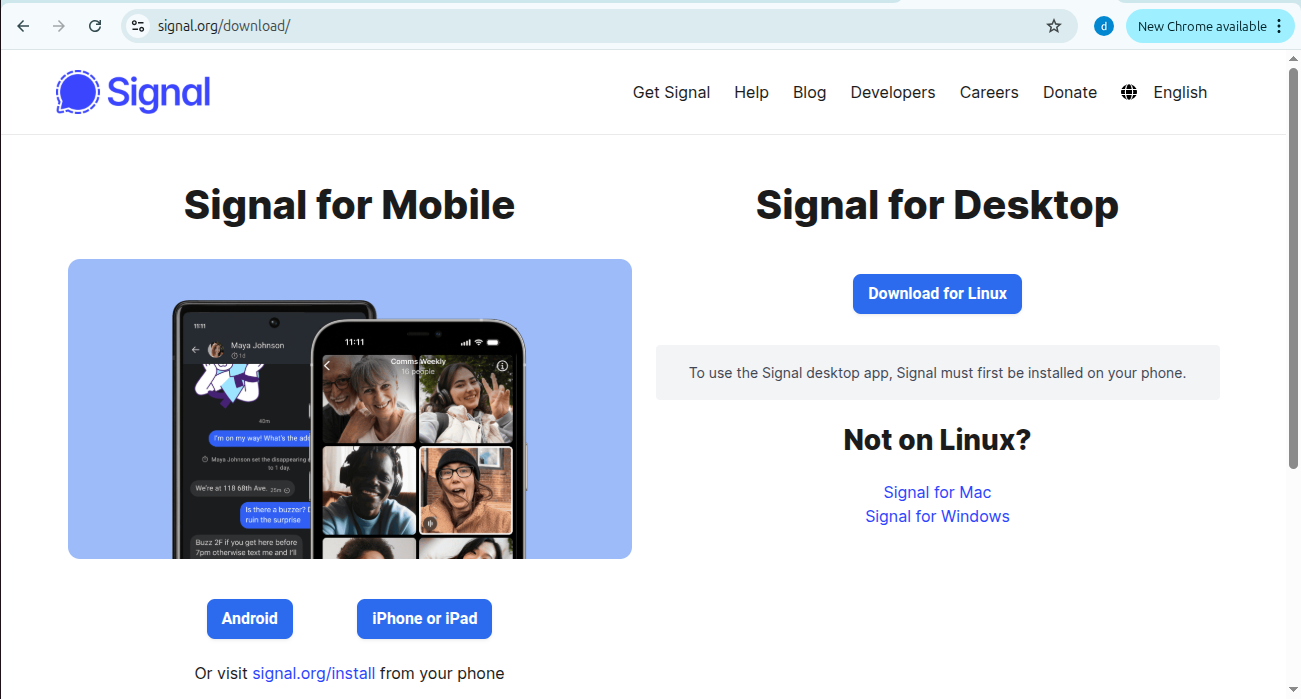
step 1 :download signal app
intall signal app for linux from the browser using this link : https://signal.org/download
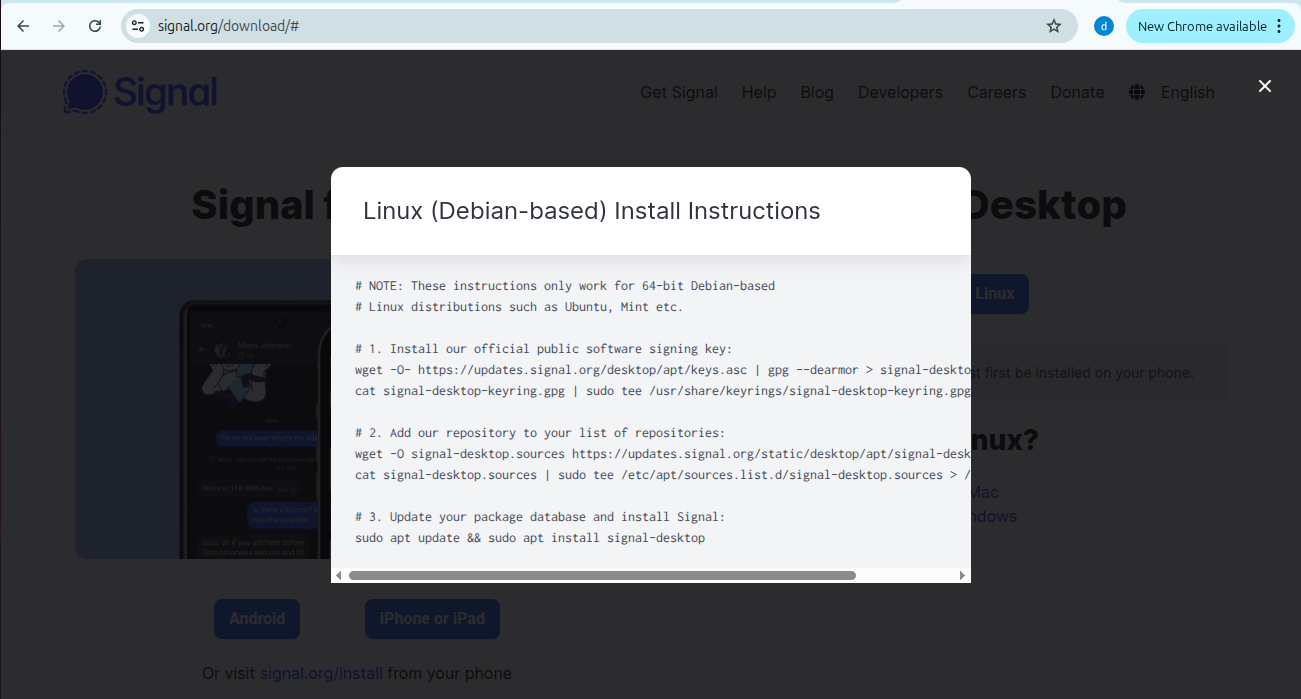
step 2 :instructions
follow the instructions and then start download signal app
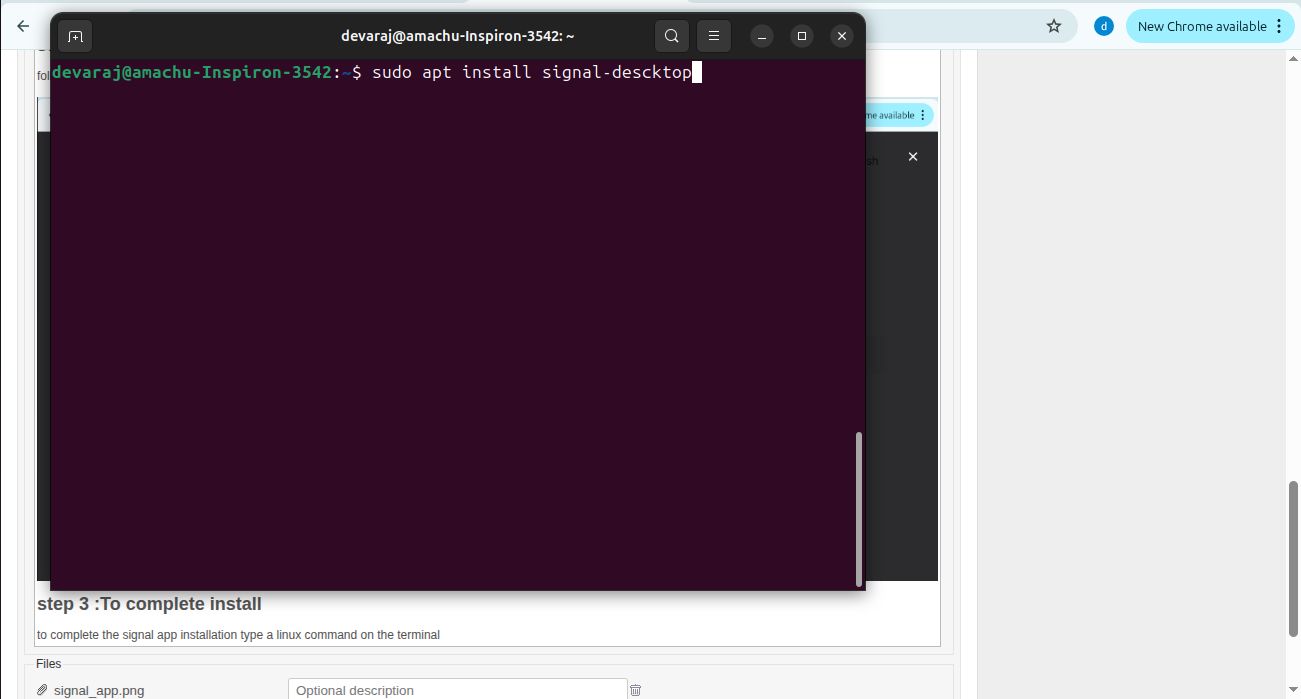
step 3 :To complete install
to complete the signal app installation type a linux command on the terminal
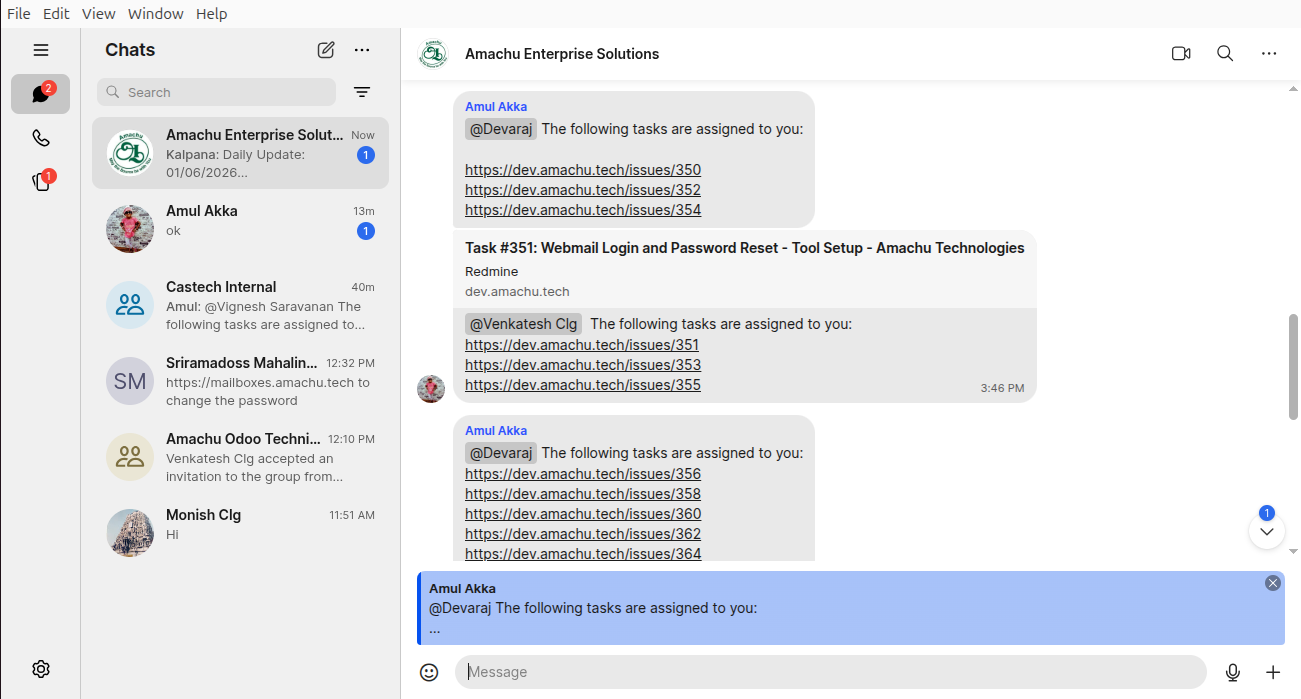
step 4 :signal app
after installation the signal app looks like this and communicate with each other such as message,call,etc..
Actions