Actions
Task #299
openHot Keys for Starting & Stopping recordings
Start date:
03/10/2026
Due date:
% Done:
0%
Estimated time:
Description
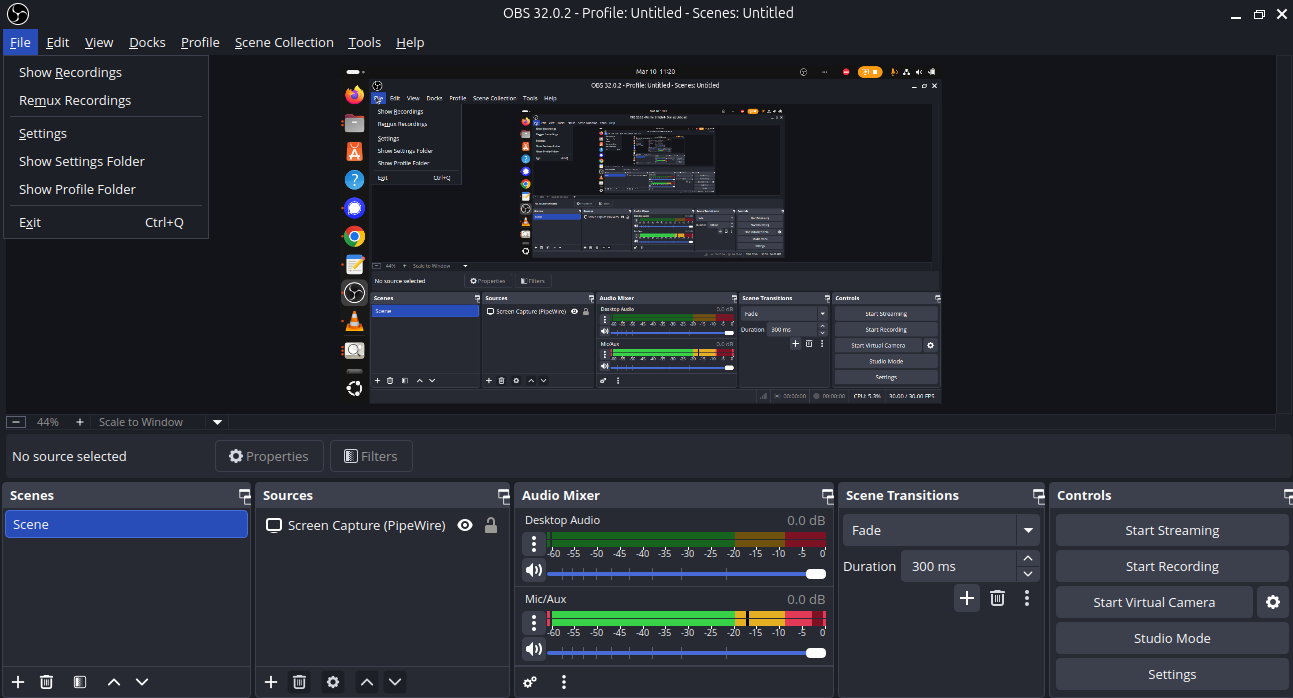
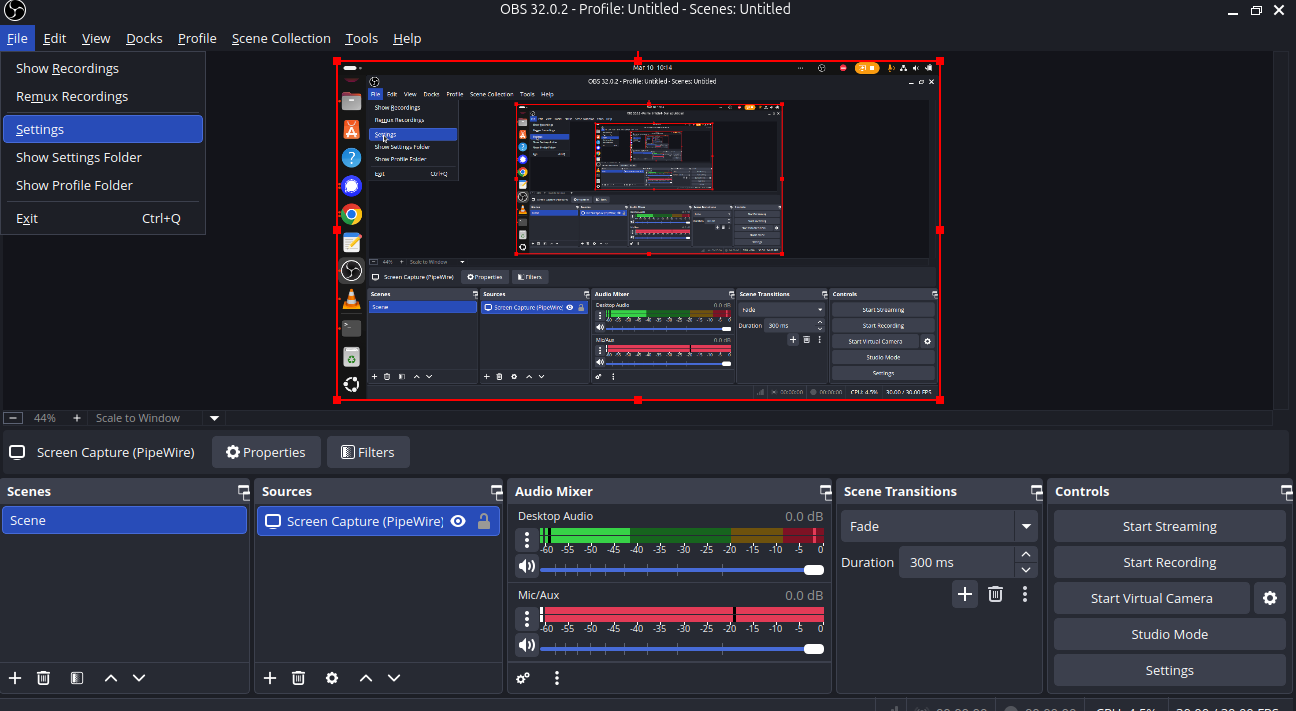
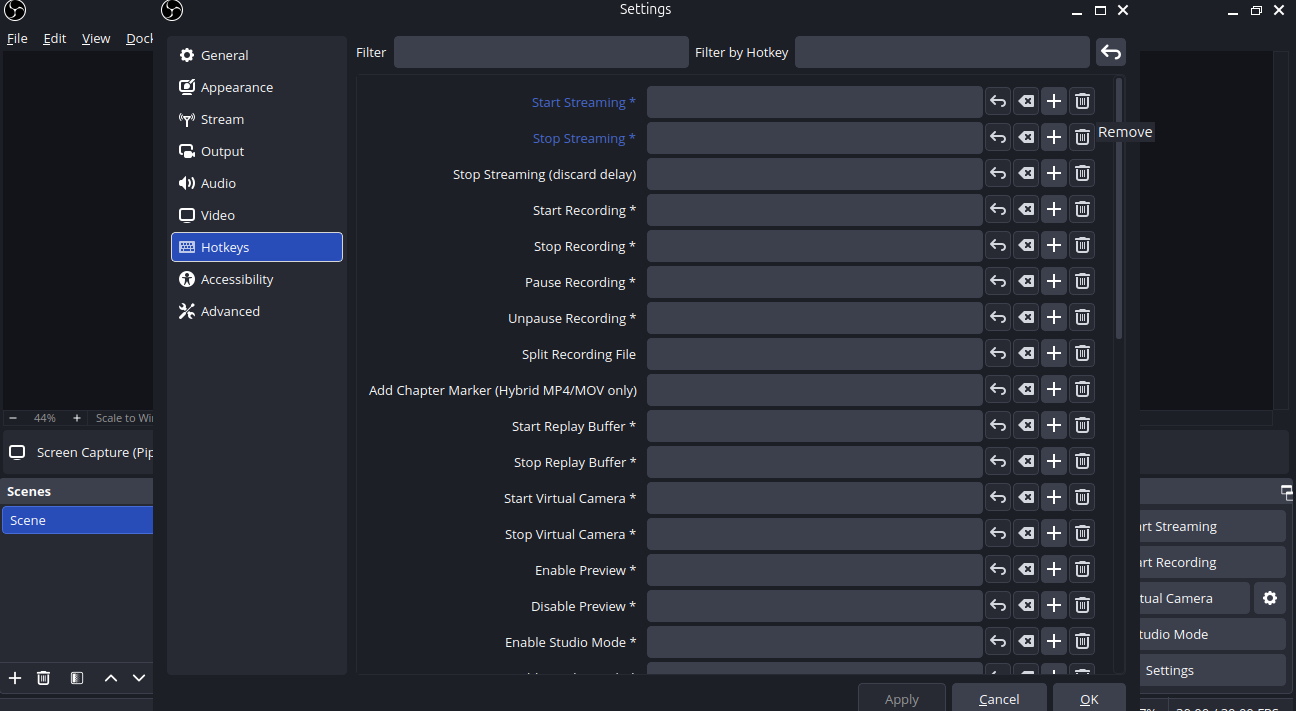
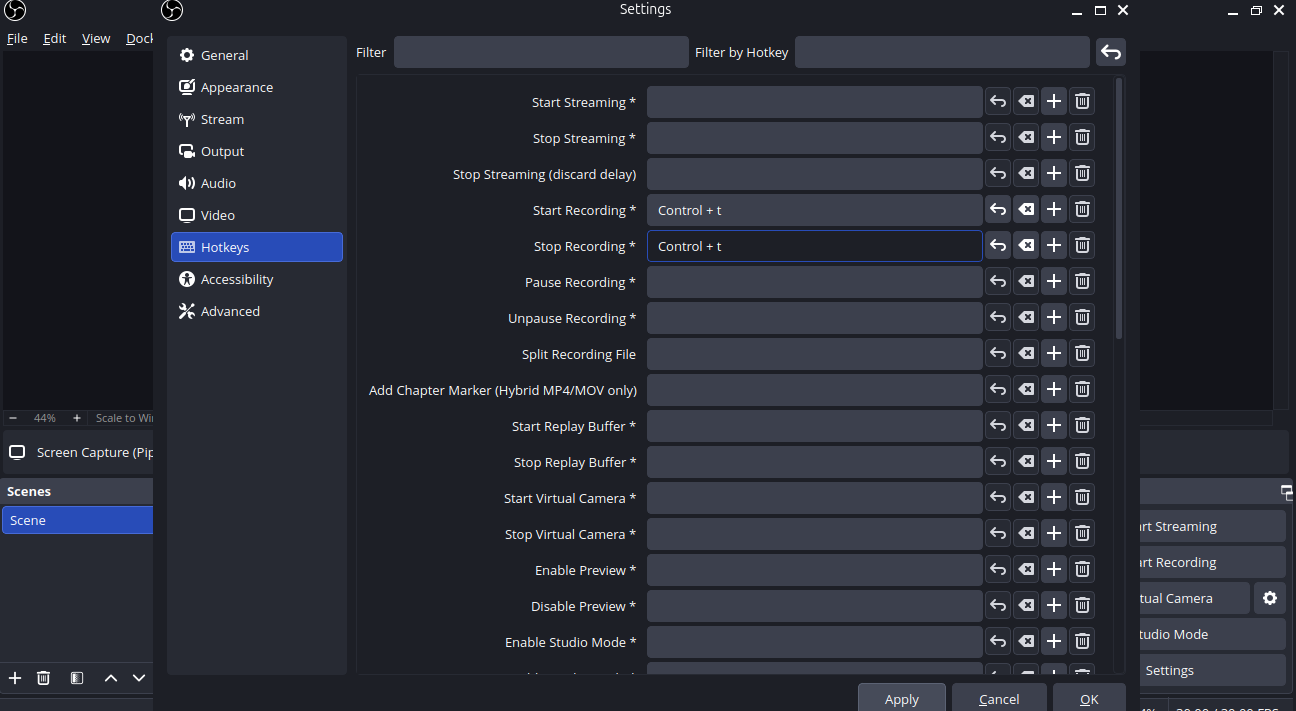
Learn how to set up hot keys for Starting and Stopping recordings with OBS. They have to be used to start and stop recordings.
Files
| flie_menu.png (141 KB) flie_menu.png | |||
| settings_option.png (143 KB) settings_option.png | |||
| select_hotkeys.png (108 KB) select_hotkeys.png | |||
| hotkeys2.png (109 KB) hotkeys2.png | |||
| video_procedure.mp4 (17.6 MB) video_procedure.mp4 |
Actions