Actions
Task #291
openOBS Installation and Setup
Added by Amul Munusamy about 1 month ago. Updated about 1 month ago.
Start date:
03/09/2026
Due date:
% Done:
0%
Estimated time:
Description
To install OBS using the following commands
sudo add-apt-repository ppa:obsproject/obs-studio
sudo apt update
sudo apt install obs-studio
Files
| obj_appliction.png (84.4 KB) obj_appliction.png | Tarunkumar Sathyanarayan, 03/10/2026 05:14 AM | ||
| add_source_.png (98.1 KB) add_source_.png | Tarunkumar Sathyanarayan, 03/10/2026 05:24 AM | ||
| pipe_line.png (101 KB) pipe_line.png | Tarunkumar Sathyanarayan, 03/10/2026 05:29 AM | ||
| new_source.png (81.2 KB) new_source.png | Tarunkumar Sathyanarayan, 03/10/2026 05:33 AM | ||
| shaare.png (70.8 KB) shaare.png | Tarunkumar Sathyanarayan, 03/10/2026 05:37 AM | ||
| select1.png (78.9 KB) select1.png | Tarunkumar Sathyanarayan, 03/10/2026 05:38 AM | ||
| select2.png (124 KB) select2.png | Tarunkumar Sathyanarayan, 03/10/2026 05:38 AM | ||
| purchse_request_demo.mp4 (46.3 MB) purchse_request_demo.mp4 | Tarunkumar Sathyanarayan, 03/17/2026 07:05 AM |
Updated by Amul Munusamy about 1 month ago
- Copied to Task #292: OBS Installation and Setup added
Updated by Amul Munusamy about 1 month ago
- Copied to deleted (Task #292: OBS Installation and Setup)
Updated by Tarunkumar Sathyanarayan about 1 month ago ยท Edited
- File _2_obs_update_install_package.png added
- File _4_add_source.png added
- File _5_create_source.png added
- File _6_window_screen.png added
- File _7_start_recording.png added
- File _8_stop_recording.png added
- File _9_remux_recording..png added
- File _10_obs_to_mp4.png added
- Status changed from New to In Progress
Updated by Tarunkumar Sathyanarayan about 1 month ago
- File deleted (
_2_obs_update_install_package.png)
Updated by Tarunkumar Sathyanarayan about 1 month ago
- File deleted (
_4_add_source.png)
Updated by Tarunkumar Sathyanarayan about 1 month ago
- File deleted (
_5_create_source.png)
Updated by Tarunkumar Sathyanarayan about 1 month ago
- File deleted (
_6_window_screen.png)
Updated by Tarunkumar Sathyanarayan about 1 month ago
- File deleted (
_7_start_recording.png)
Updated by Tarunkumar Sathyanarayan about 1 month ago
- File deleted (
_8_stop_recording.png)
Updated by Tarunkumar Sathyanarayan about 1 month ago
- File deleted (
_9_remux_recording..png)
Updated by Tarunkumar Sathyanarayan about 1 month ago
- File deleted (
_10_obs_to_mp4.png)
Actions
#12
Updated by Tarunkumar Sathyanarayan about 1 month ago
- File obj_appliction.png obj_appliction.png added
- File add_source_.png add_source_.png added
- File pipe_line.png pipe_line.png added
- File new_source.png new_source.png added
- File shaare.png shaare.png added
- File select1.png select1.png added
- File select2.png select2.png added
OBS Installation and Setup process
. Step1
. Open the terminal window and install a specific package
sudo add-apt-repository ppa:obsproject/obs-studio
. Update the packages
sudo apt update
. Enter the given command for installation
sudo apt install obs-studio
. Step2 :
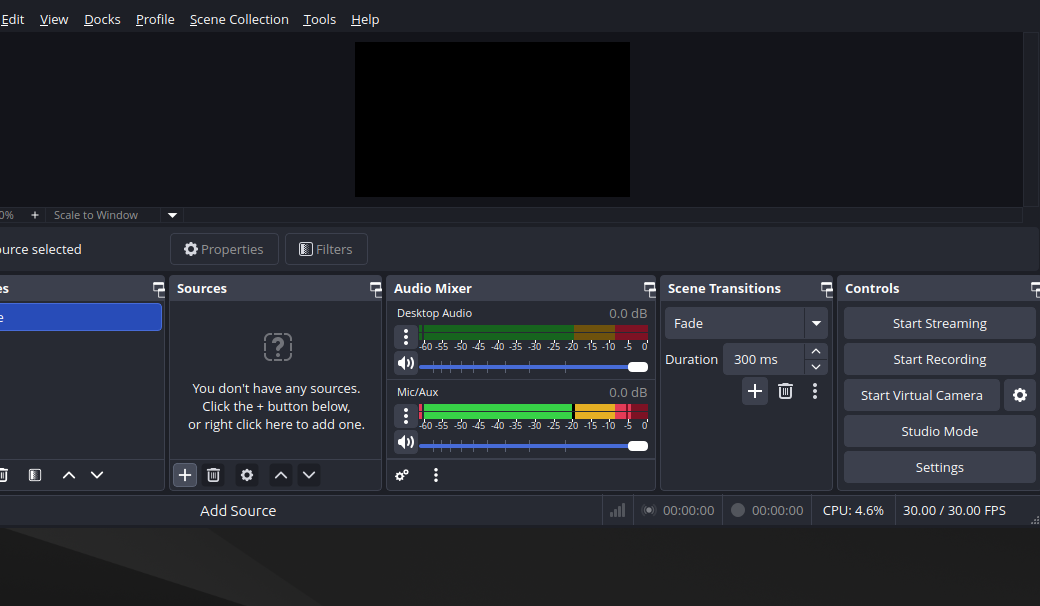
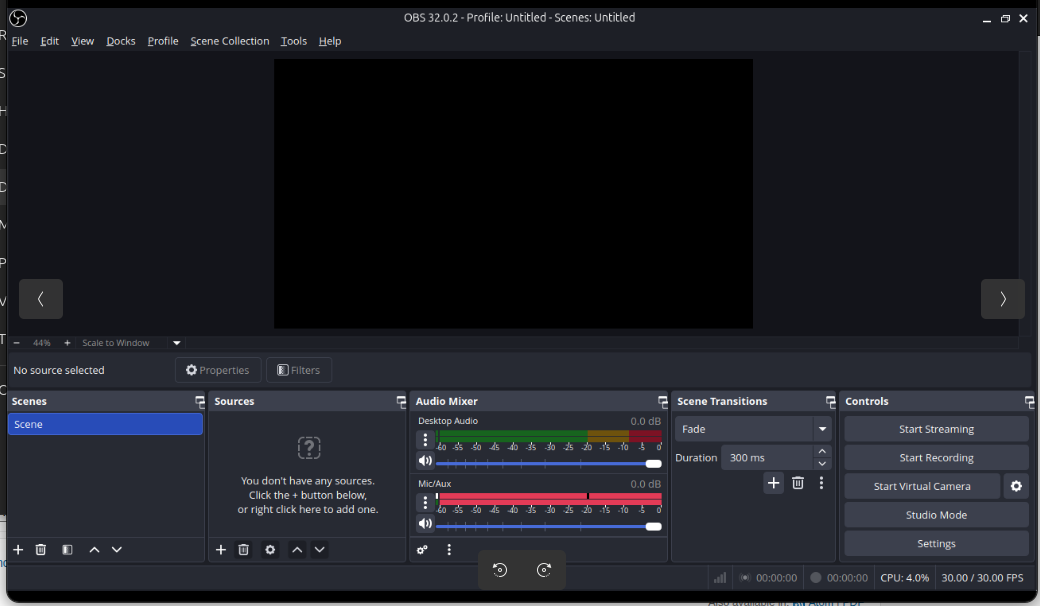
. Click OBS to run the application.

. step 3 :
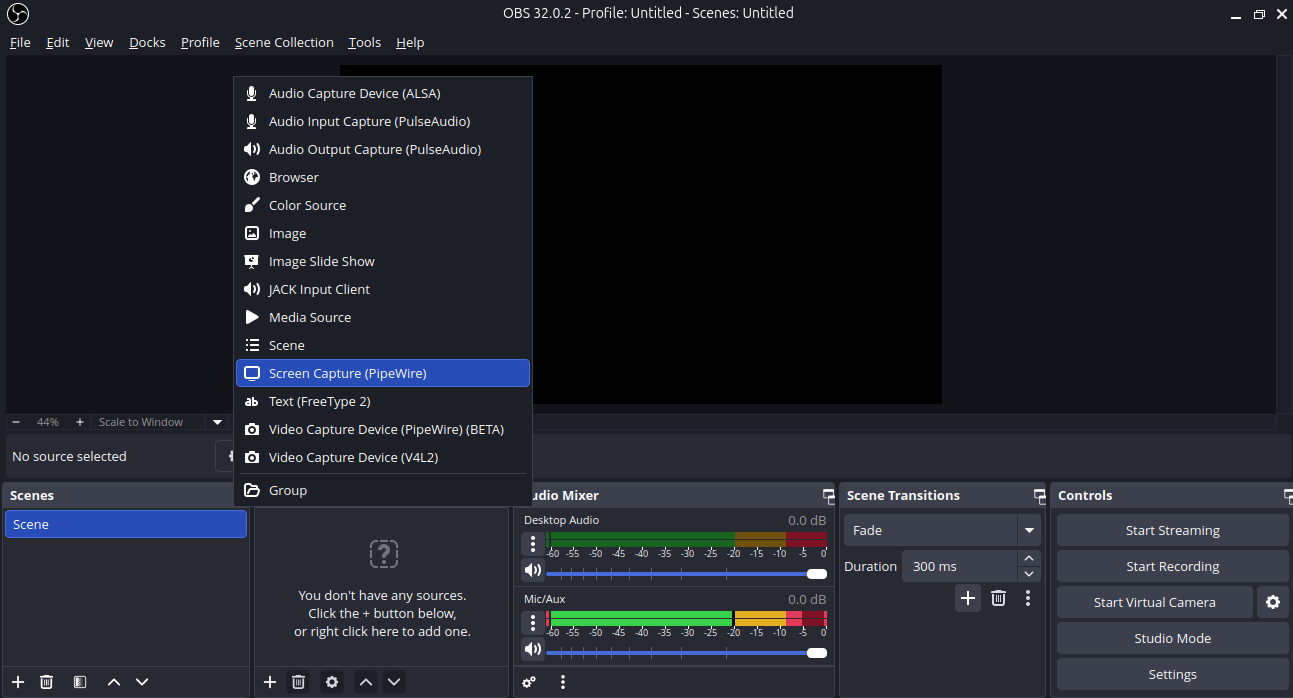
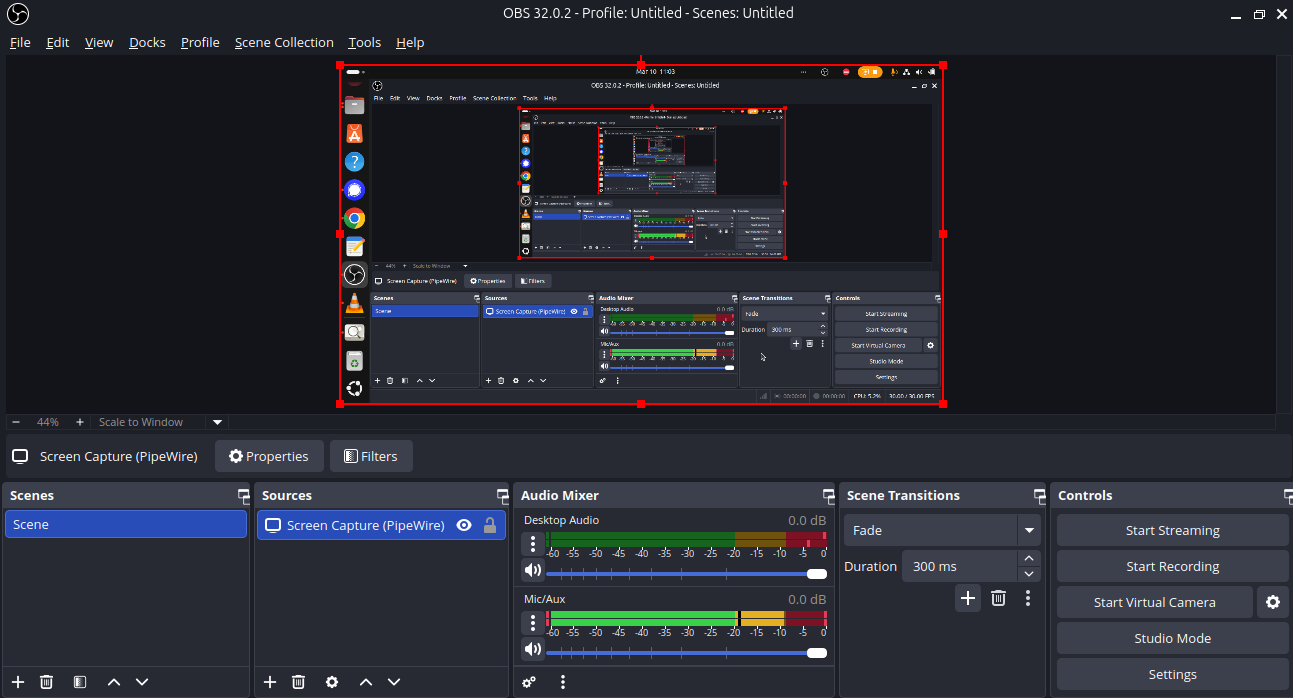
. create a new pipewire
(path - click on source - (+) icon - add source )

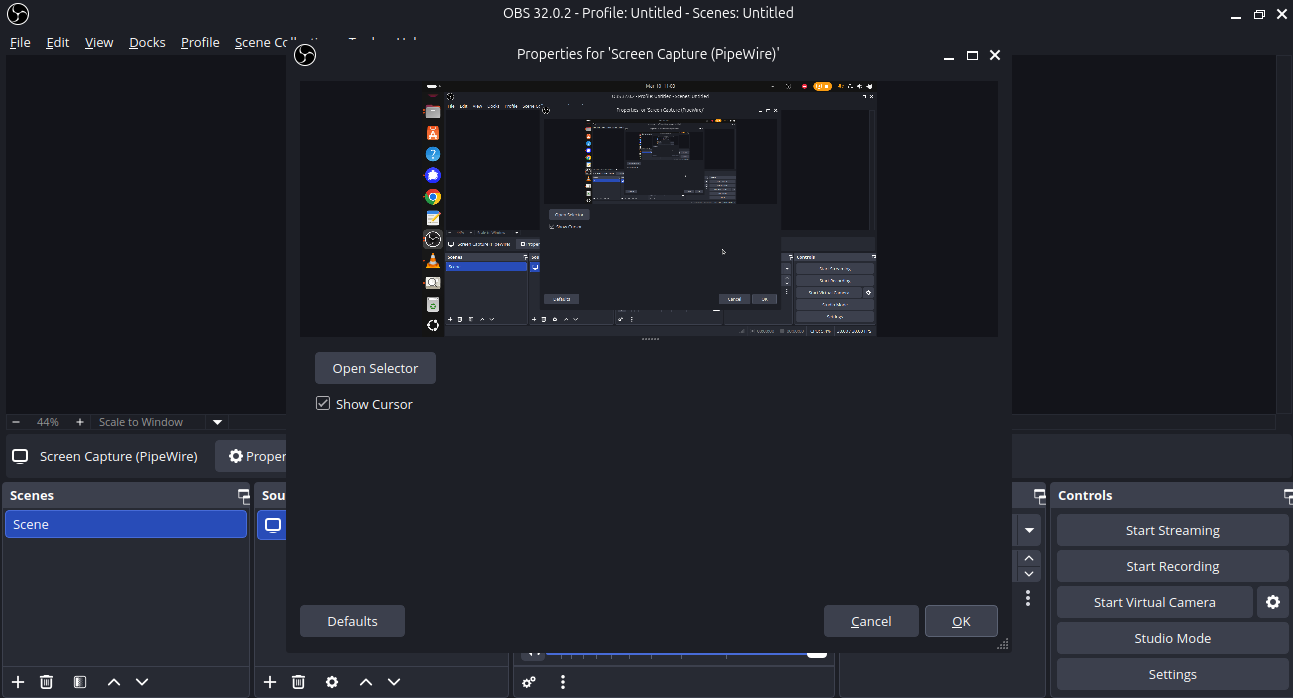
. click on ( screen capture new (pipewire) )

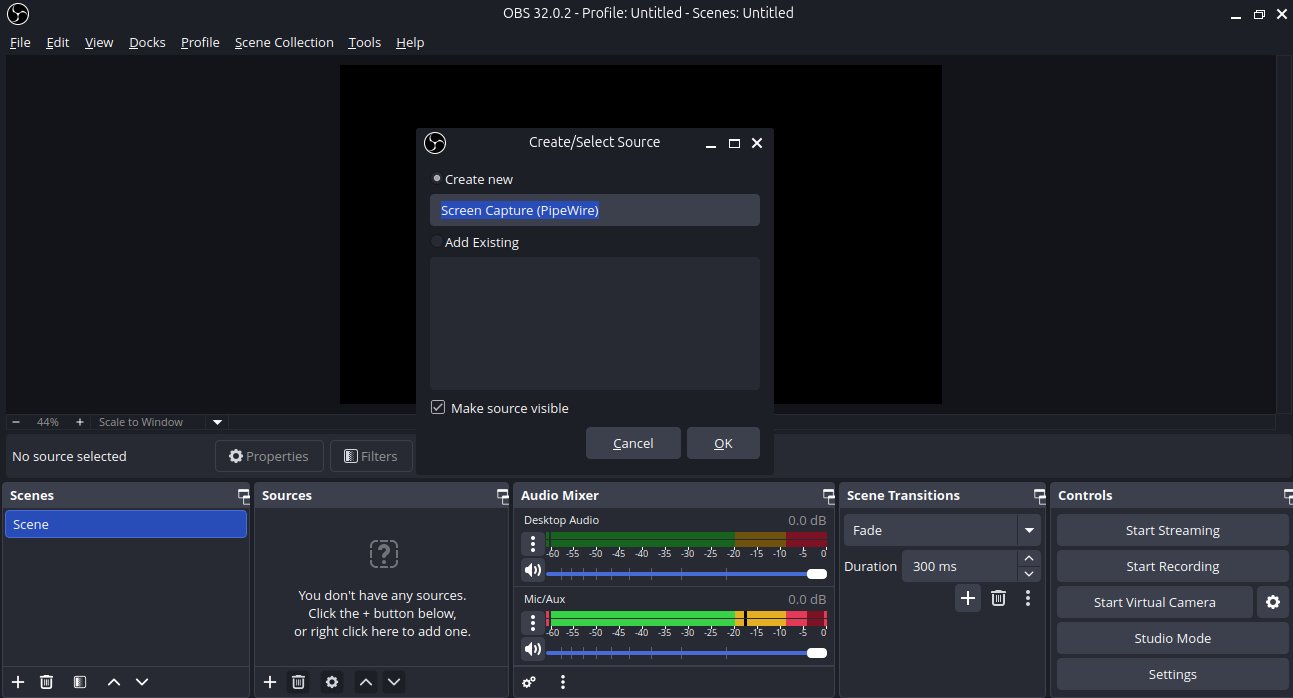
. create new source (click on ok )

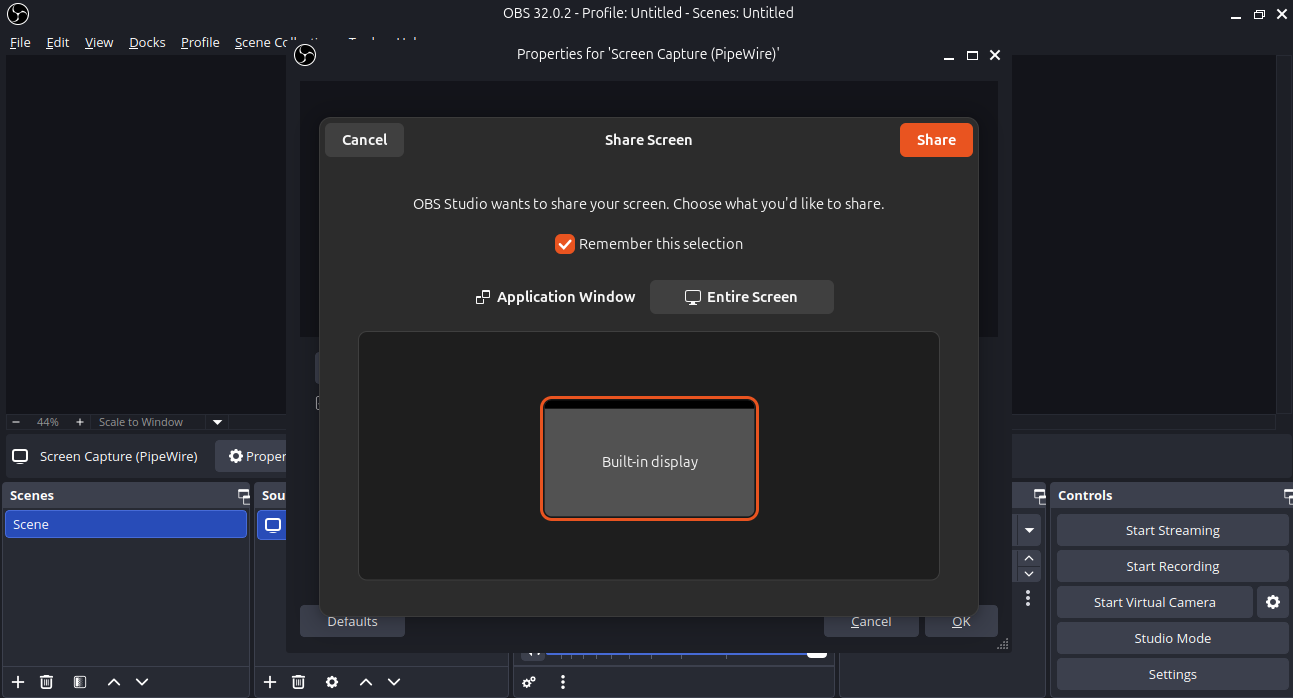
. choose entire screen and click on (share)

. click on ok

. The pipewire has been sucessfully created

Updated by Tarunkumar Sathyanarayan about 1 month ago
- Status changed from In Progress to Resolved
the OBS Installation and Setup process has been executed sucessfully
Updated by Tarunkumar Sathyanarayan about 1 month ago
- File purchse_request_demo.mp4 purchse_request_demo.mp4 added
Obs : purchase request demo video
Actions