Actions
Task #289
openConfiguring Thunderbird Locally
Start date:
03/09/2026
Due date:
% Done:
0%
Estimated time:
Description
Refer to #6
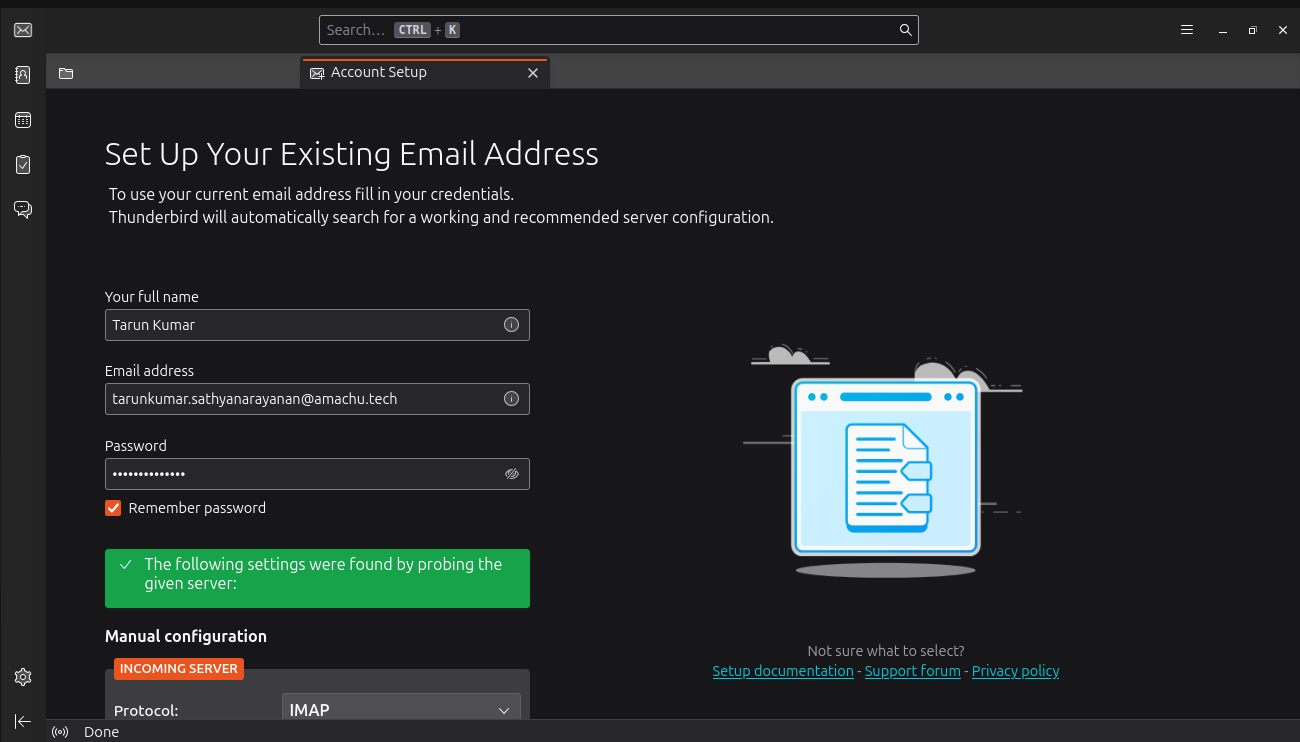
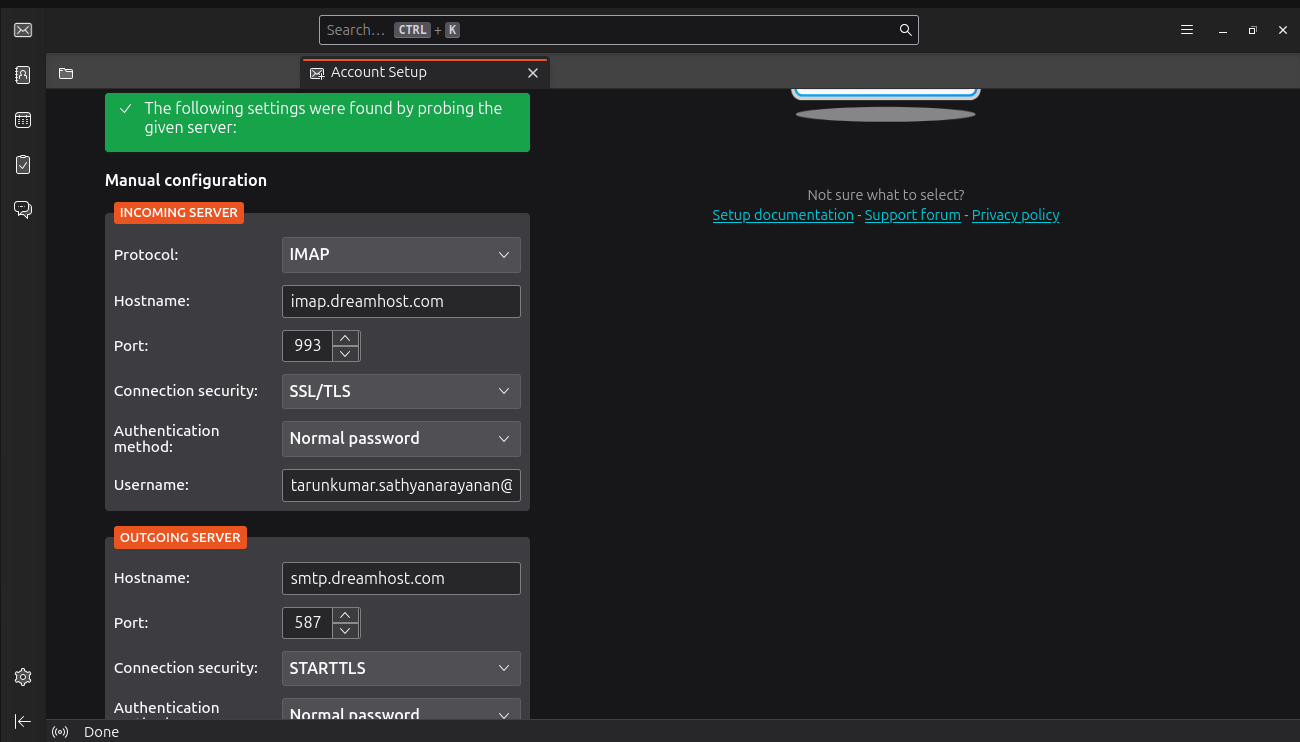
Enter your username, email address, and password, then click 'Continue'. Select the 'IMAP' configuration option when prompted.
Files
| login_page.png (90.9 KB) login_page.png | |||
| thunder_config.png (79.5 KB) thunder_config.png | |||
| thunderbird.png (183 KB) thunderbird.png |
Updated by Amul Munusamy 7 months ago
- Copied to Task #290: Configuring Thunderbird Locally added
Updated by Amul Munusamy 7 months ago
- Copied to deleted (Task #290: Configuring Thunderbird Locally)
Updated by Tarunkumar Sathyanarayan 7 months ago
- Status changed from New to On Hold
Actions
#4
Updated by Tarunkumar Sathyanarayan 7 months ago
- File login_page.png login_page.png added
- File thunder_config.png thunder_config.png added
- File thunderbird.png thunderbird.png added
- Status changed from On Hold to In Progress
Configuring Thunderbird Locally
Step-1 : Open Tunderbird Mail and Enter username, Email address, and password, then click 'Continue'.
Step-2 : Select the 'IMAP' configuration option when prompted then click on "Configure manually"
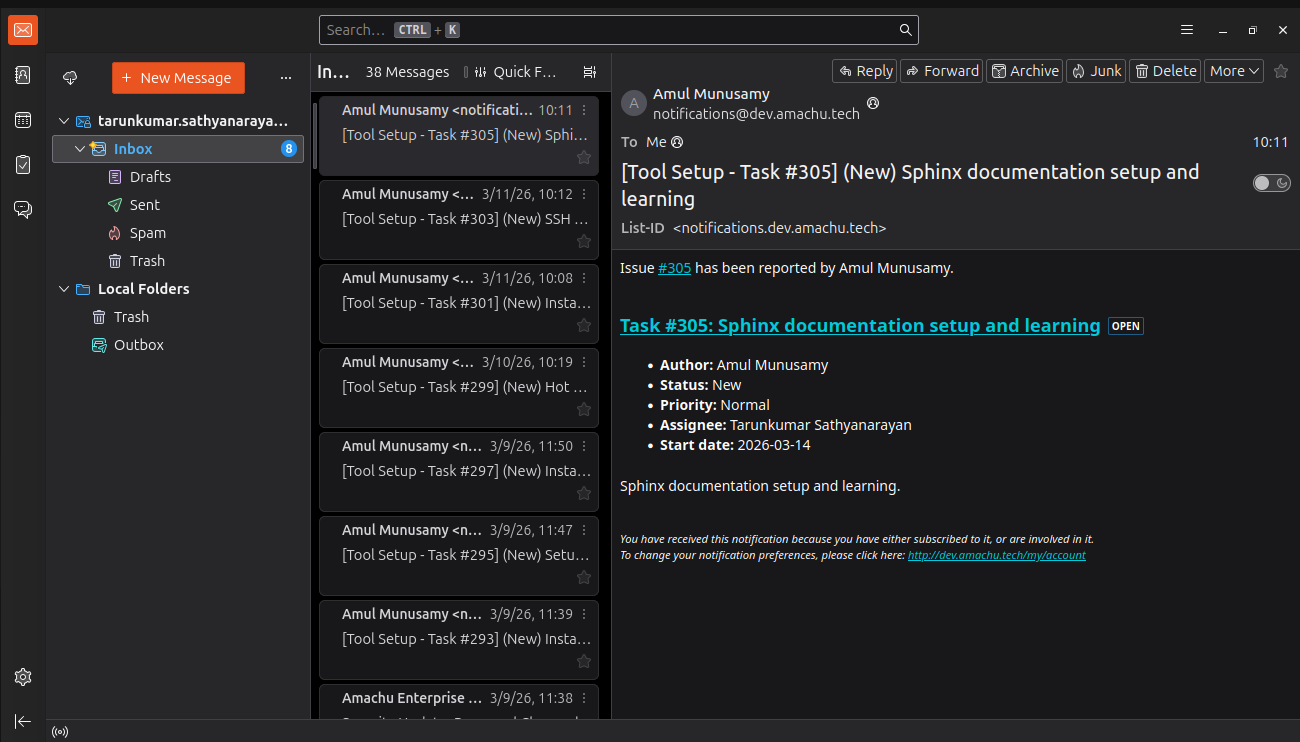
Step-3: Thunderbird mail was configured.
Updated by Tarunkumar Sathyanarayan 7 months ago
- Status changed from In Progress to Resolved
The Configuring Thunderbird Locally process has been resolved
Updated by Tarunkumar Sathyanarayan 5 months ago
NOTE : The thunder bird application has been reinstalled in my new system
Actions