Actions
Task #269
openSphinx documentation setup
Start date:
01/05/2026
Due date:
% Done:
0%
Estimated time:
Description
Sphinx documentation setup:
sudo apt update

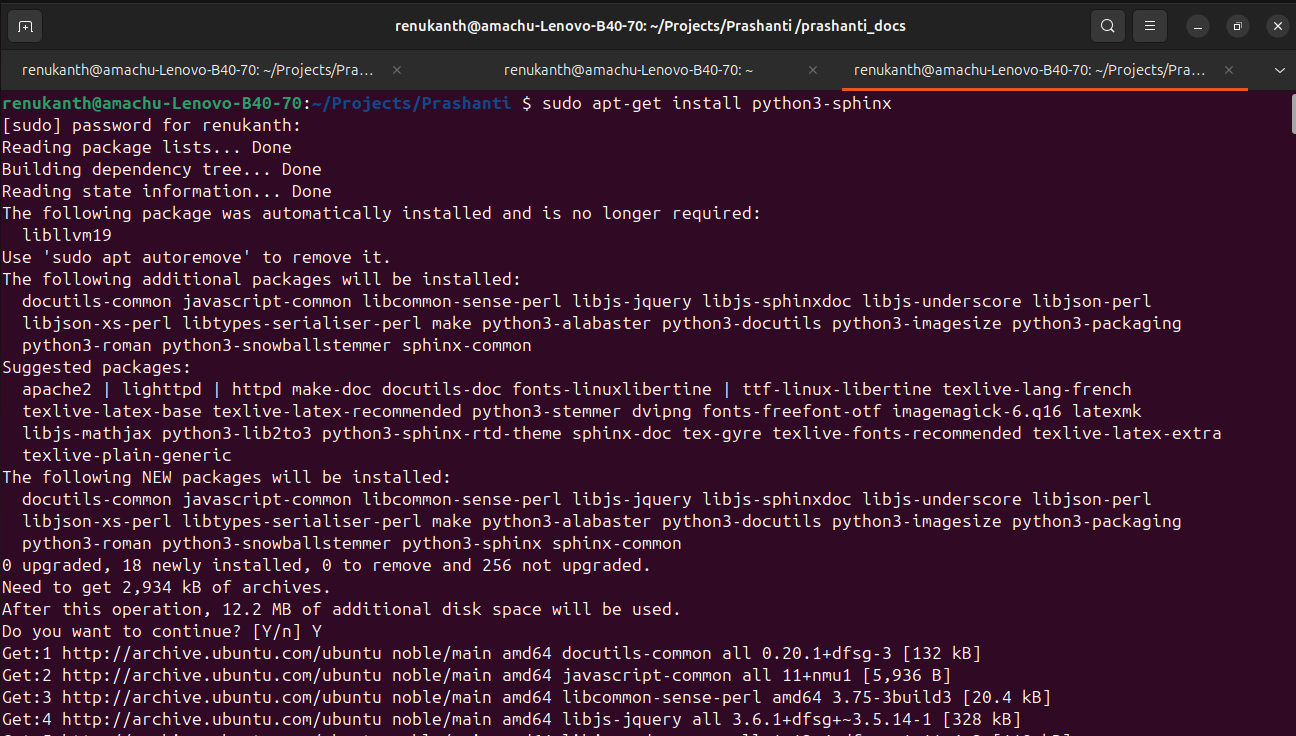
sudo apt-get install python3-sphinx
mkdir sphinx
cd sphinx/
sphinx-build -M html docs/source/ docs/build/
cd ..
rm sphinx
rmdir sphinx
sphinx-build -M html docs/source/ docs/build/
sphinx-quickstart sphinx
cd sphinx/
ls
cd
sphinx-build -M html sphinx/source/ sphinx/build/
cd sphinx/build
google-chrome index.html
ls
cd html
ls
google-chrome index.html
Files
Actions
#2
Updated by Botchina Renukanth 9 months ago
- File Install_python_shpinx.png Install_python_shpinx.png added
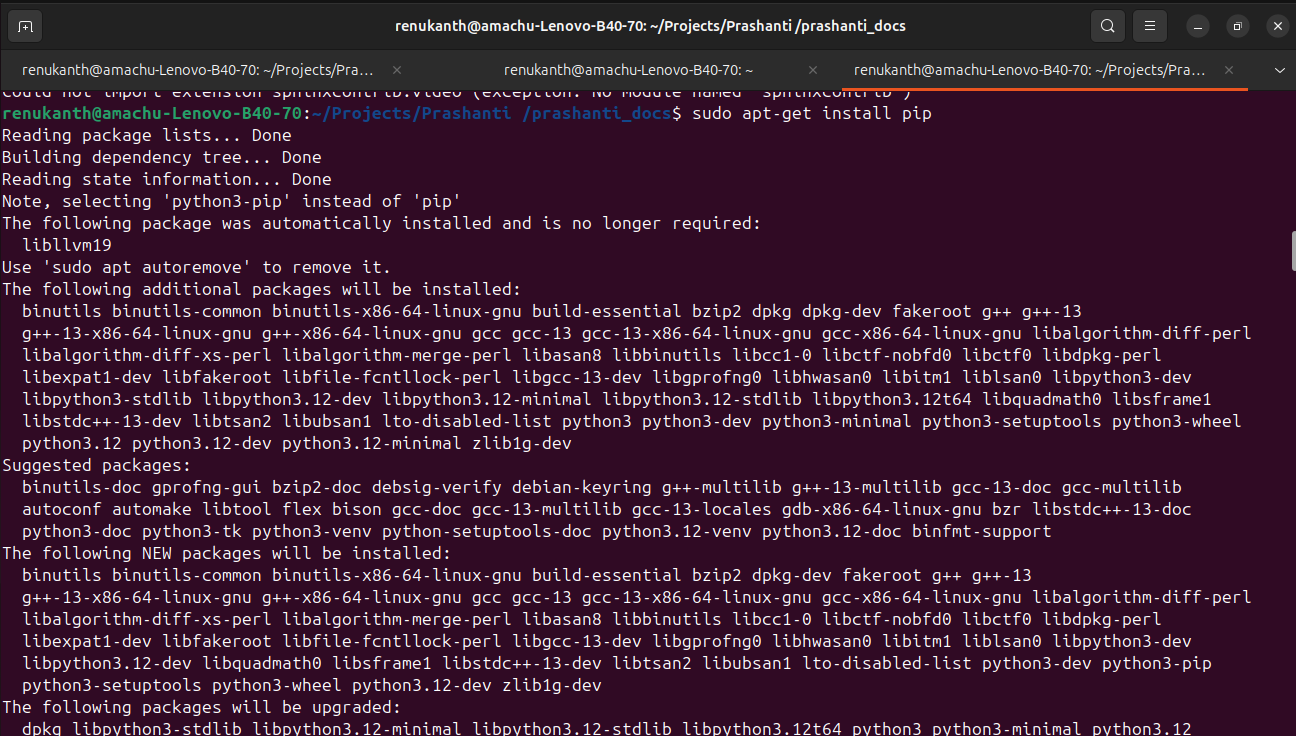
- File insall pip.png insall pip.png added
- File installing the sphinxcontrib-video.png installing the sphinxcontrib-video.png added
- File sphinxcontrib-video --break-system-package.png sphinxcontrib-video --break-system-package.png added
- File sphinx-rtd-theme --break-system-package.png sphinx-rtd-theme --break-system-package.png added
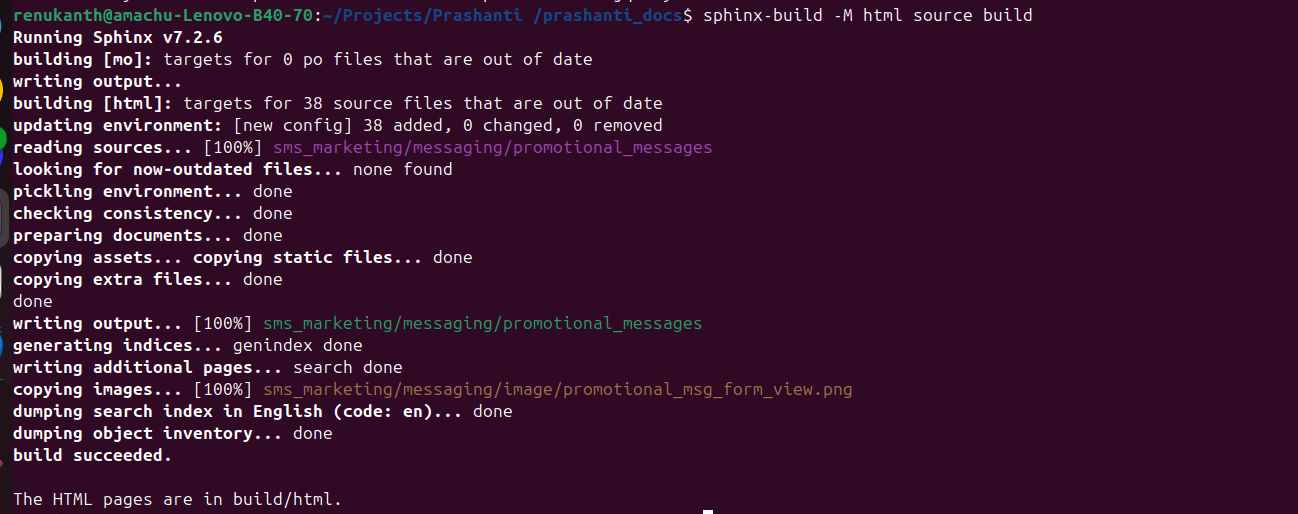
- File sphinx-build -M html source build.png sphinx-build -M html source build.png added
- File prashanti documentation.png prashanti documentation.png added
- File inventory .png inventory .png added
- File quantity check.png quantity check.png added
- Status changed from New to In Progress
Sphinx documentation setup
Step1
- Open terminal and implement code as sudo apt-get install python3-sphinx
- sudo apt-get install pip. if it is install already before leave it.
- pip install sphinxcontrib-video
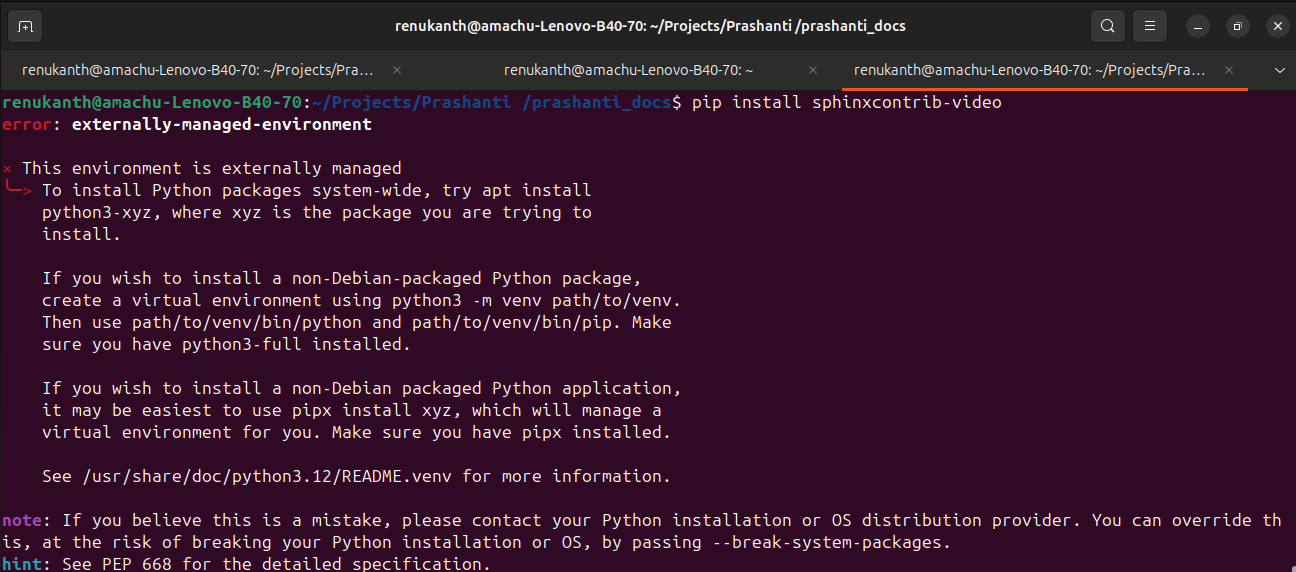
- pip install sphinxcontrib-video --break-system-package.
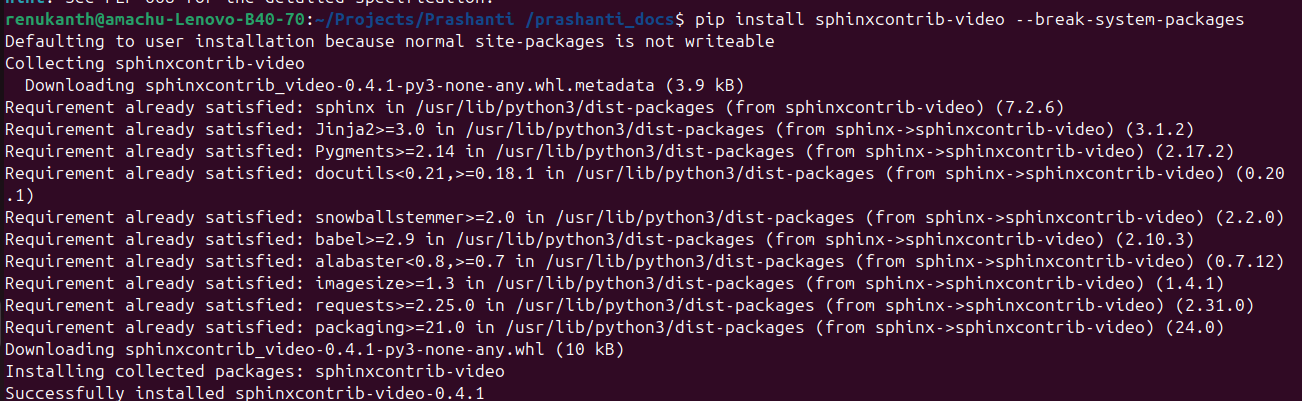
- pip3 install sphinx
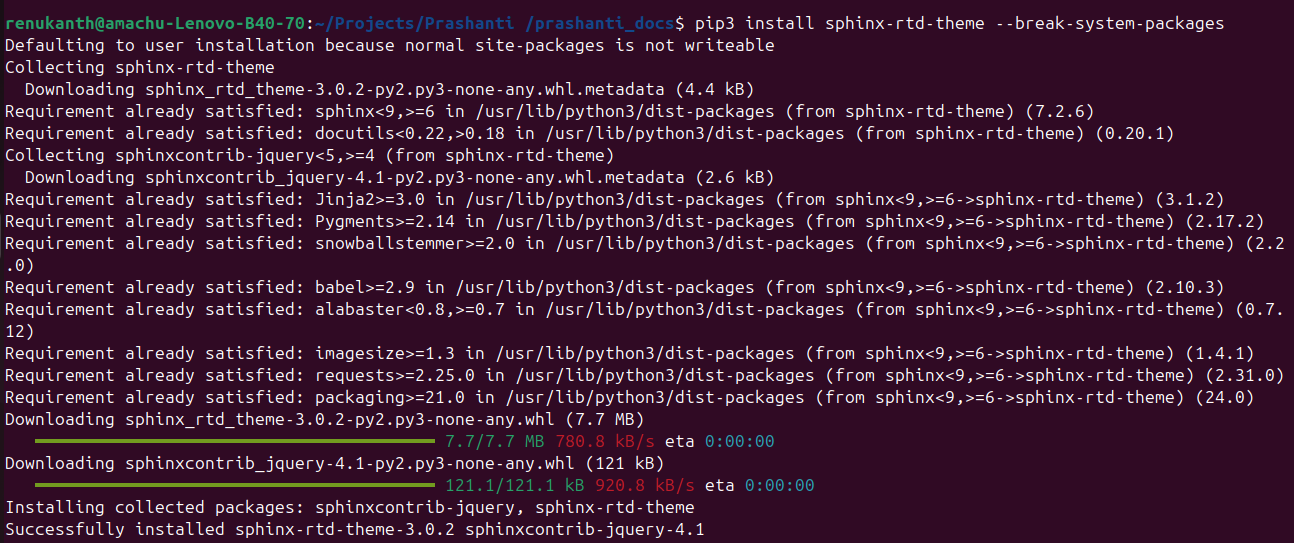
- sphinx-build -M html source build

Step2
- go to file manager and click on projects and then next Prashanti file, next click on the Prashanti_documents, next click on bulid, then next click on html file and open the index.html.
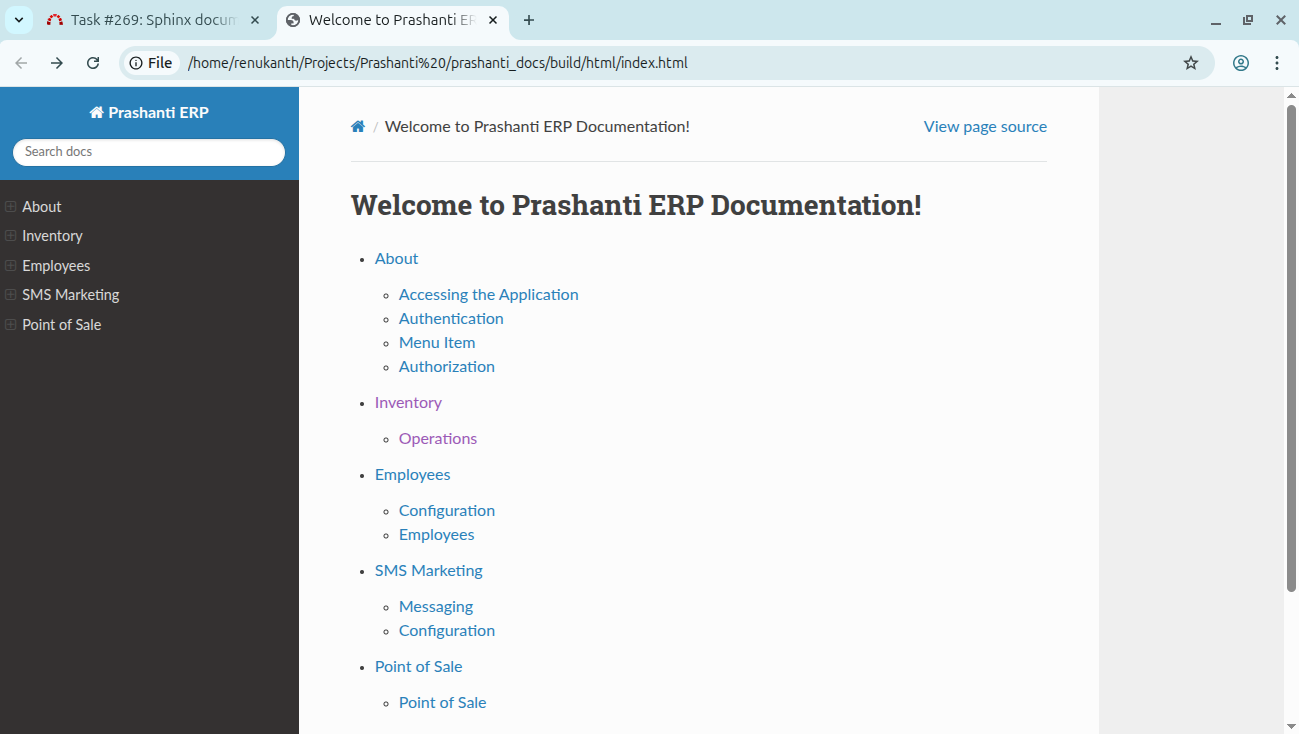
-
Click on inventory and then next click on operations.
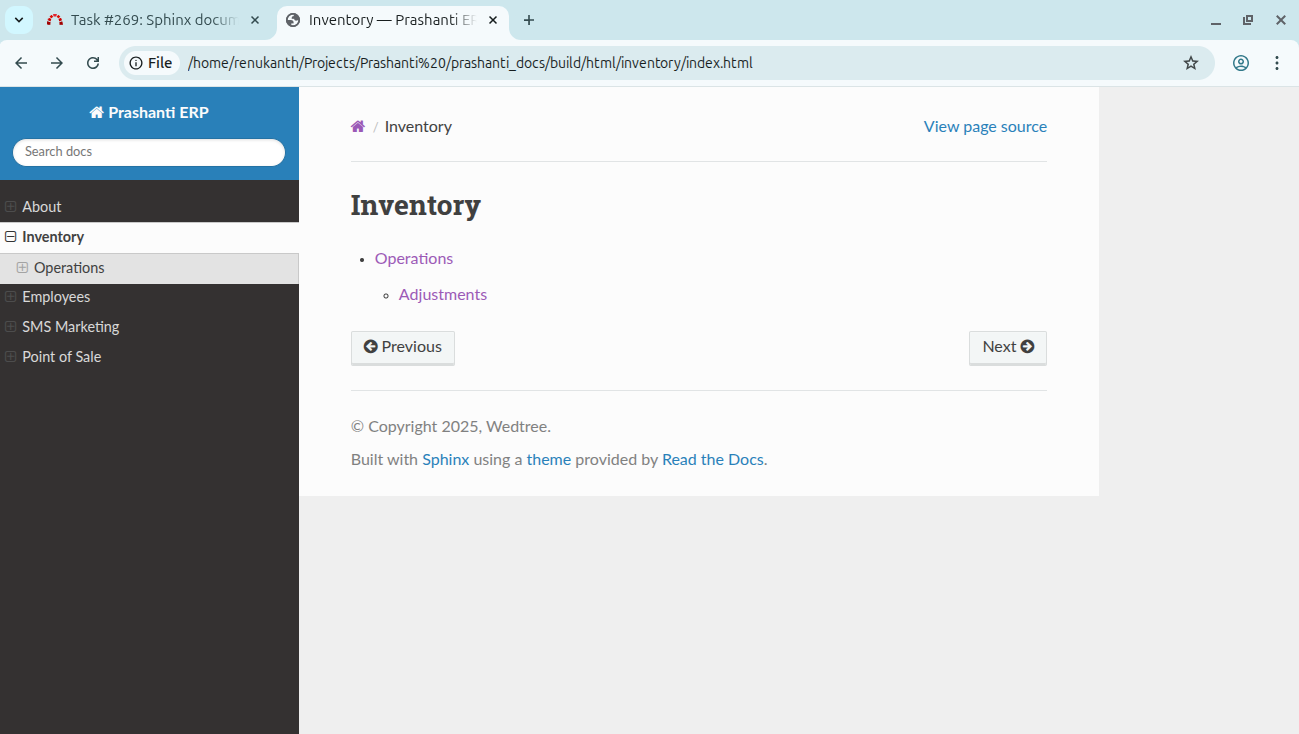
-
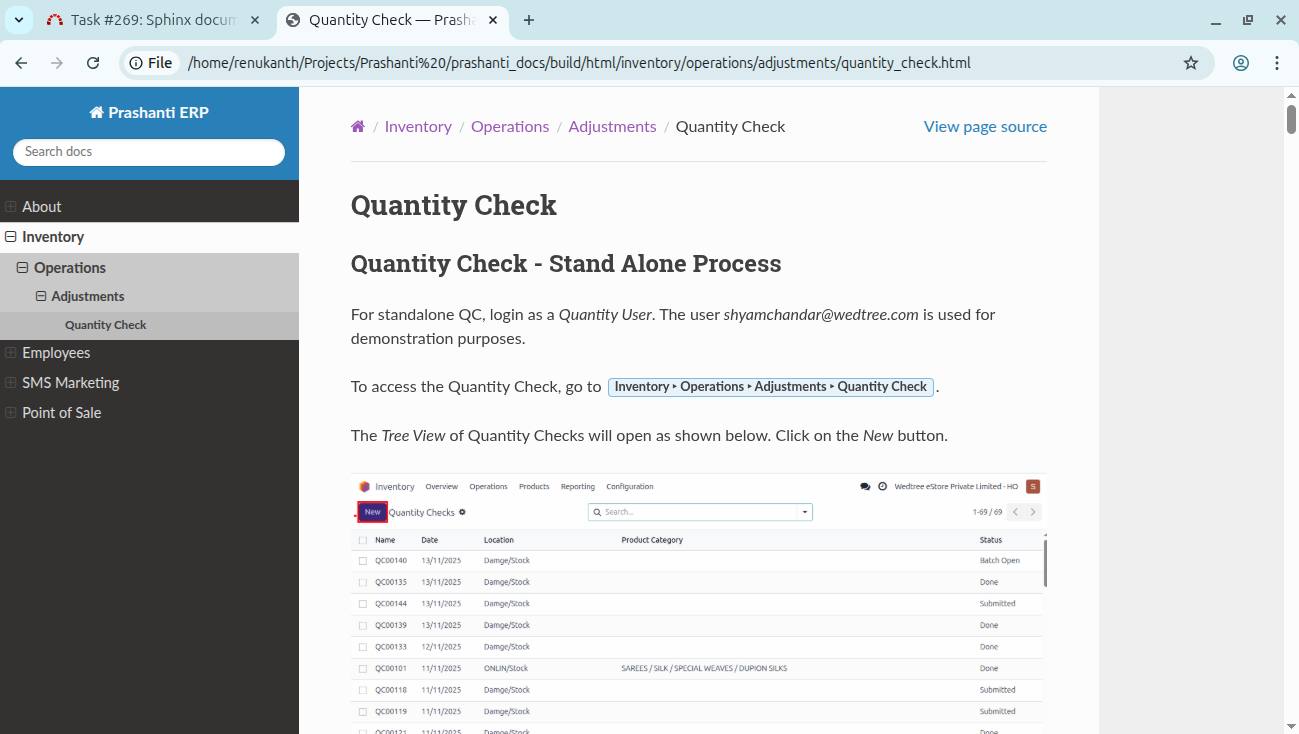
click on adjustments and click on quantity check.
Updated by Botchina Renukanth 9 months ago
- Status changed from In Progress to Resolved
Actions